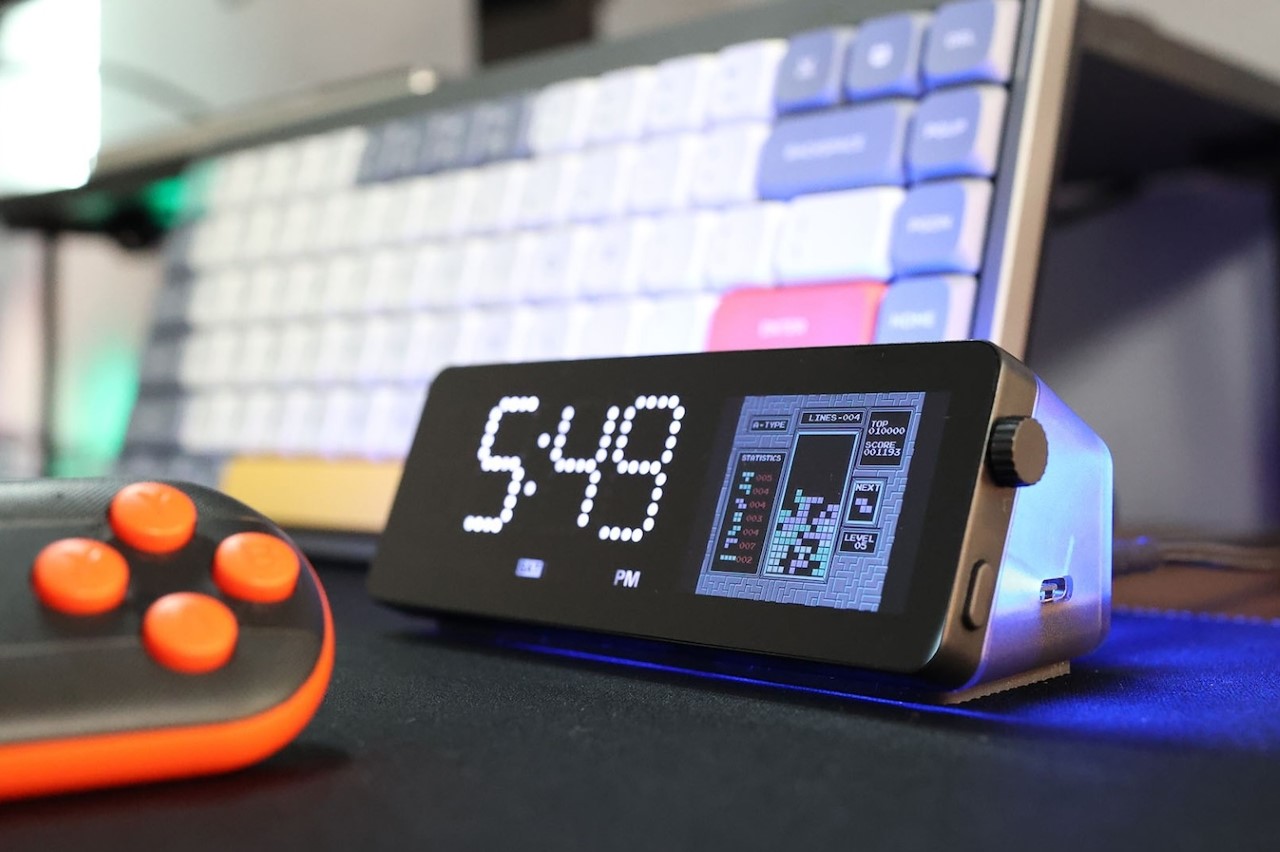
Sure, your iPhone can show you the time or the game score or even photos of your holiday when it’s docked horizontally during charging… but can it give your laptop HDMI and LAN connectivity? Can it track crypto prices? Does it let you code your own apps/widgets? And hey, can it play DOOM? Well, Vobot can. A compact desktop display that doubles as a multiport hub for enhanced productivity, the Vobot puts fun and function together. It has 7 ports for enhanced connectivity and charging (up to 90W), but its magnum opus is the display on front, which does everything from being a clock, weather forecast indicator, Pomodoro timer, Todoist task tracker, Crypto or stock ticker, or even a screen-mirroring display. The best part, you can code your own apps for it, so unlike the iPhone’s Standby Mode, the Vobot can be exactly what you need it to be.
Designer: Mocreo Pvt. Ltd.
As the folks behind the Vobot say, it’s first and foremost a mini dock. With 7 ports to supercharge your laptop/desktop, the Vobot offers connectivity and power to your device. It sports a 4K@60Hz HDMI port, a Gigabit LAN port, one USB-A 3.0 port, and two USB-C 3.0 ports. There’s one single USB-C input port that powers the Vobot (the Vobot comes with its own adapter, and doesn’t have a battery of its own)… so in essence, it’s every bit a multiport USB hub… but the screen on the front is what radically changes things.


Think of that screen on the front of the Vobot as a dedicated secondary display. It’s split into two parts – the part on the left is a dot-matrix seven-segment LED display that’s dedicated to showing the time and day, while the right half is an LCD IPS screen that can be controlled using a knob and button interface on the right side of the device (reminiscent of a watch’s crown). When plugged in and running, the Vobot’s screen becomes your custom control center. The left half shows you the time, while the right half unlocks productivity in a variety of ways. The Mini Dock has its own built-in app gallery, including a weather widget, a Pomodoro timer, a Todoist task manager, calendar, stock/crypto tracker, PC monitor, indoor air detector, game emulator, WiFi status checker, screen-mirroring applet, and a lot more.


The vast app gallery means the right half of the Vobot mini dock’s display becomes your work and your life’s control panel. You can track productivity, review the stock market, watch YouTube videos on the side, check your PC’s performance or thermals, or even code your own IoT apps. With MicroPython programming, you can add new features to the dock that serve your needs, from doing things like monitoring cameras around your smart home, to checking your home’s power consumption. Create games that you can play using your laptop keyboard or a game controller (which comes along with the mini dock), or just build something as simple as a subscriber counter or notification center for your phone.

The Vobot Mini Dock boasts compatibility across Windows, Linux, and MacOS machines, but there’s also support for Android and iOS devices. Each Mini Dock ships with a 100W power adapter, and a tiny gaming controller that lets you play games on the dock’s built-in emulator. A quick-start guide briefs you through the dock’s features, and an online app store lets you access apps by other creators, or make your own to boost productivity… or should I say, pro-dock-tivity!

The post first appeared on .
Related Posts