It’s not every day you come across a computer accessory that feels genuinely life-changing, but that’s exactly the impression left by HTX Studio’s One-handed Keyboard. For designers, engineers, or even tinkerers who’ve spent hours wrestling with conventional keyboards, the usual arrangement quickly reveals its limitations, especially if you’re trying to operate everything with just one hand. Now, picture the added challenge for people who, because of disability or injury, don’t have the luxury of using both hands.
Most keyboards, and even gaming keypads, are unforgivingly designed for ambidextrous use. Tasks like typing long documents or navigating web pages become a near-impossible juggling act. Many so-called one-handed keyboards are little more than tools for gamers, offering limited keys and almost no way to move a cursor. The frustration is real, and the available solutions often force users to compromise comfort and productivity for the sake of mere function.
Designer: HTX Studio
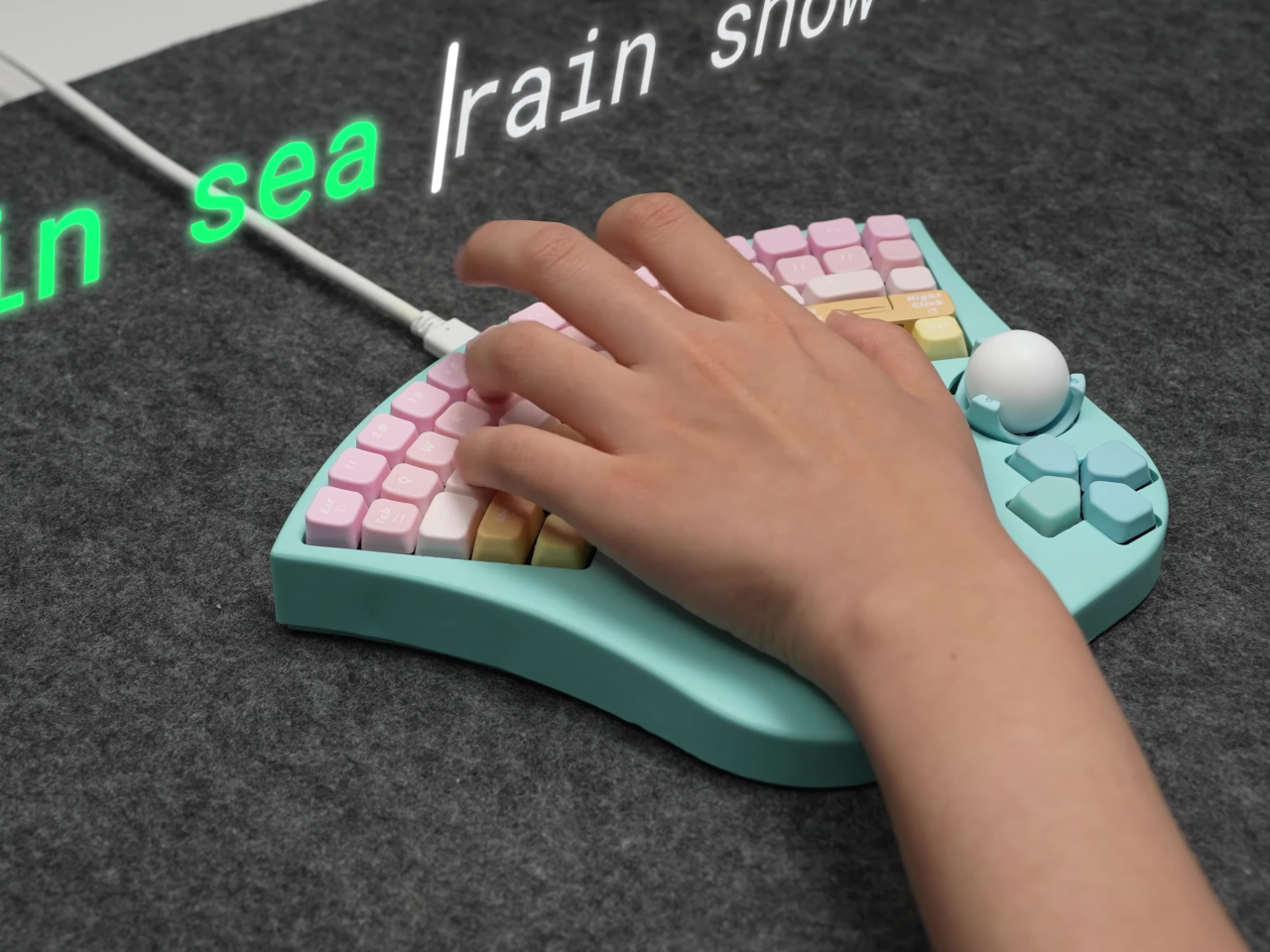
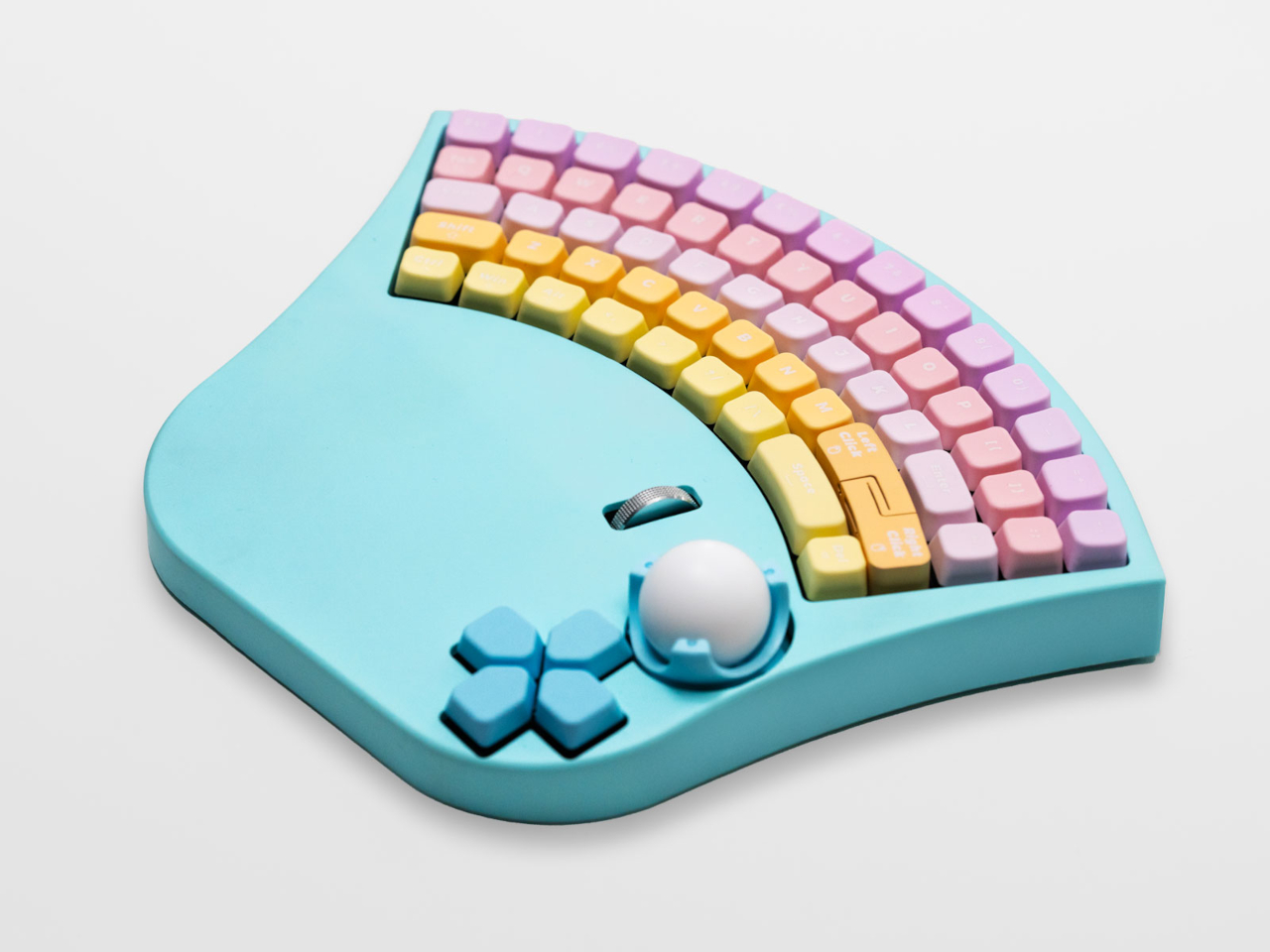
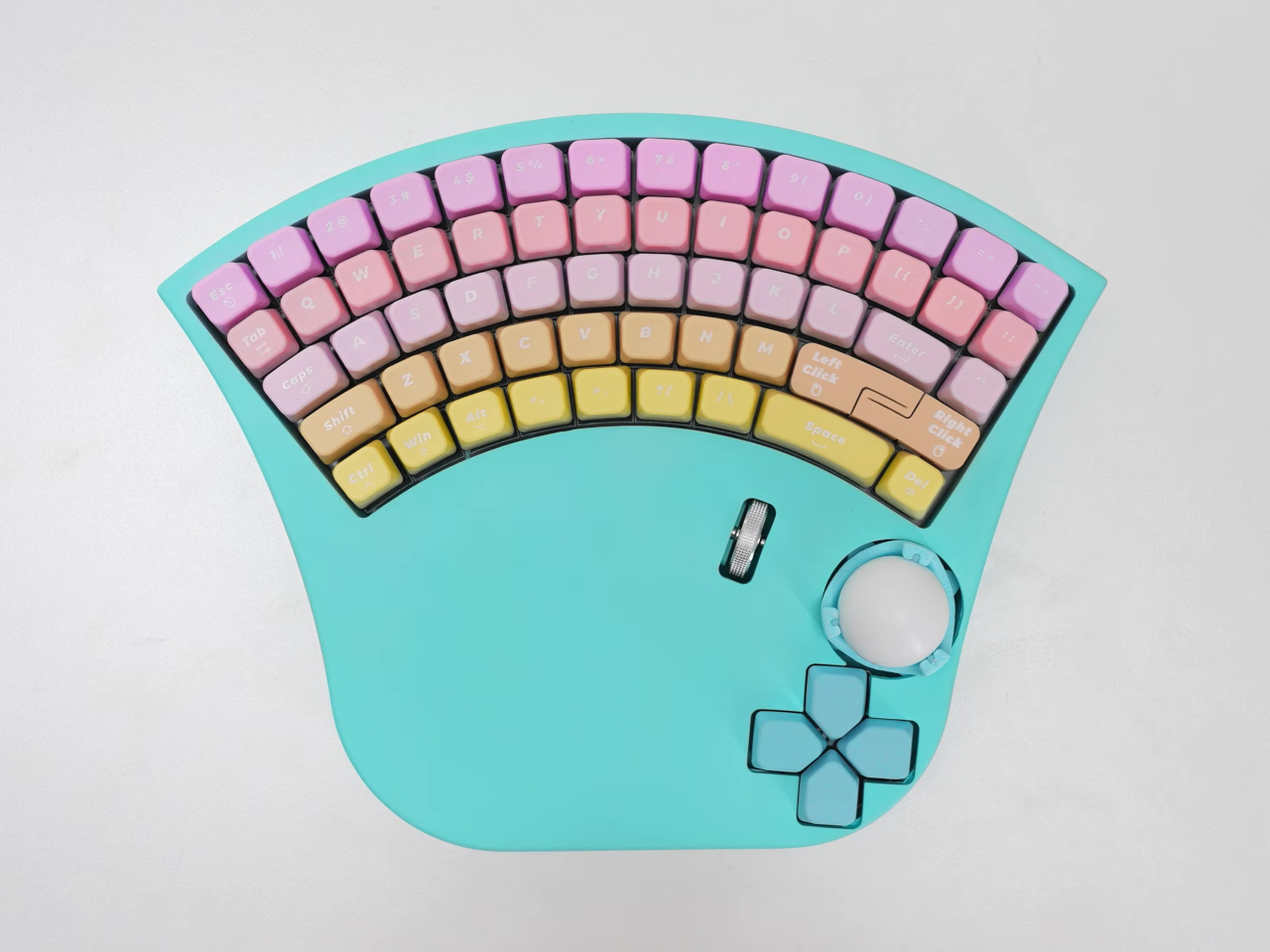
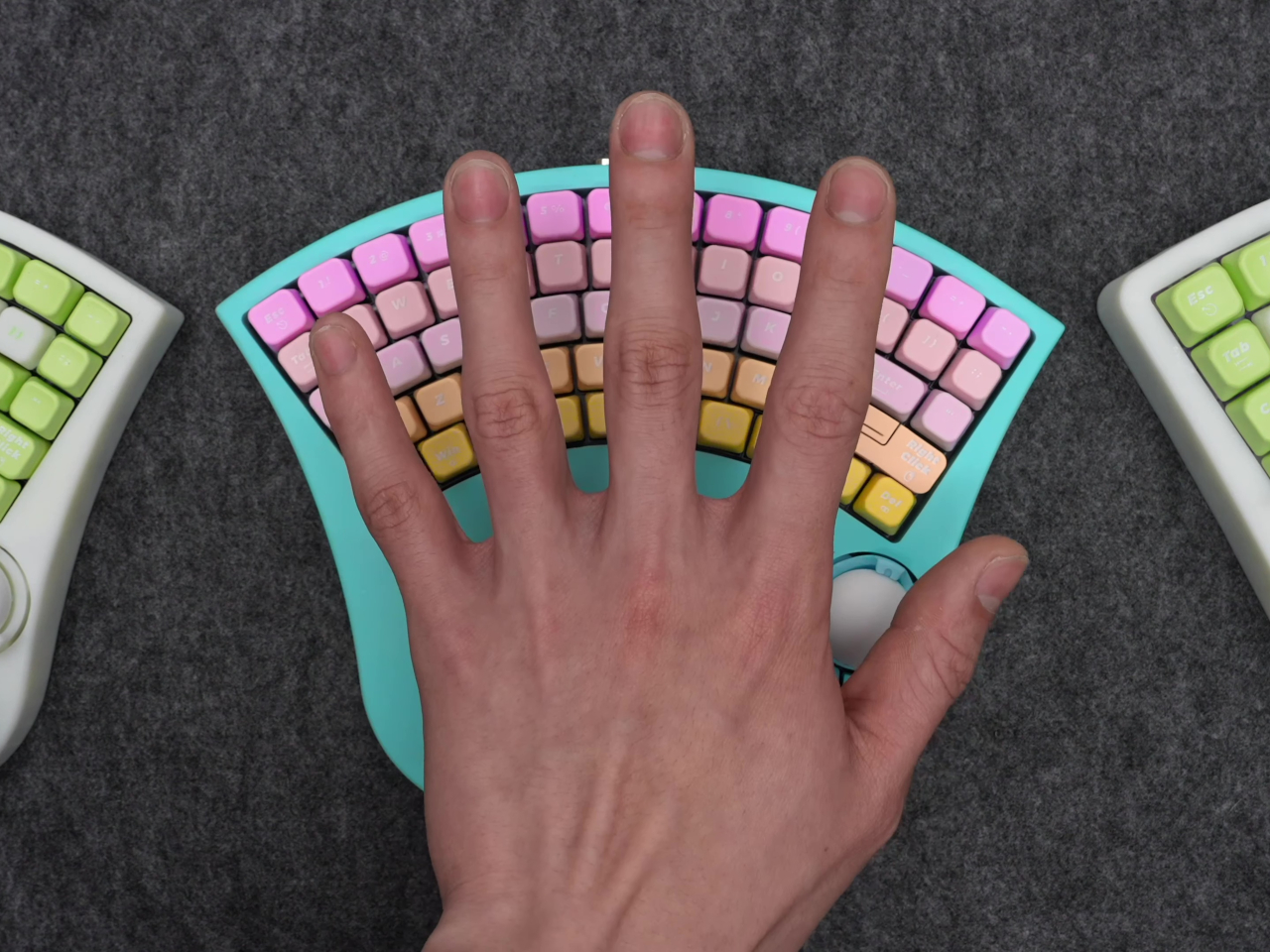
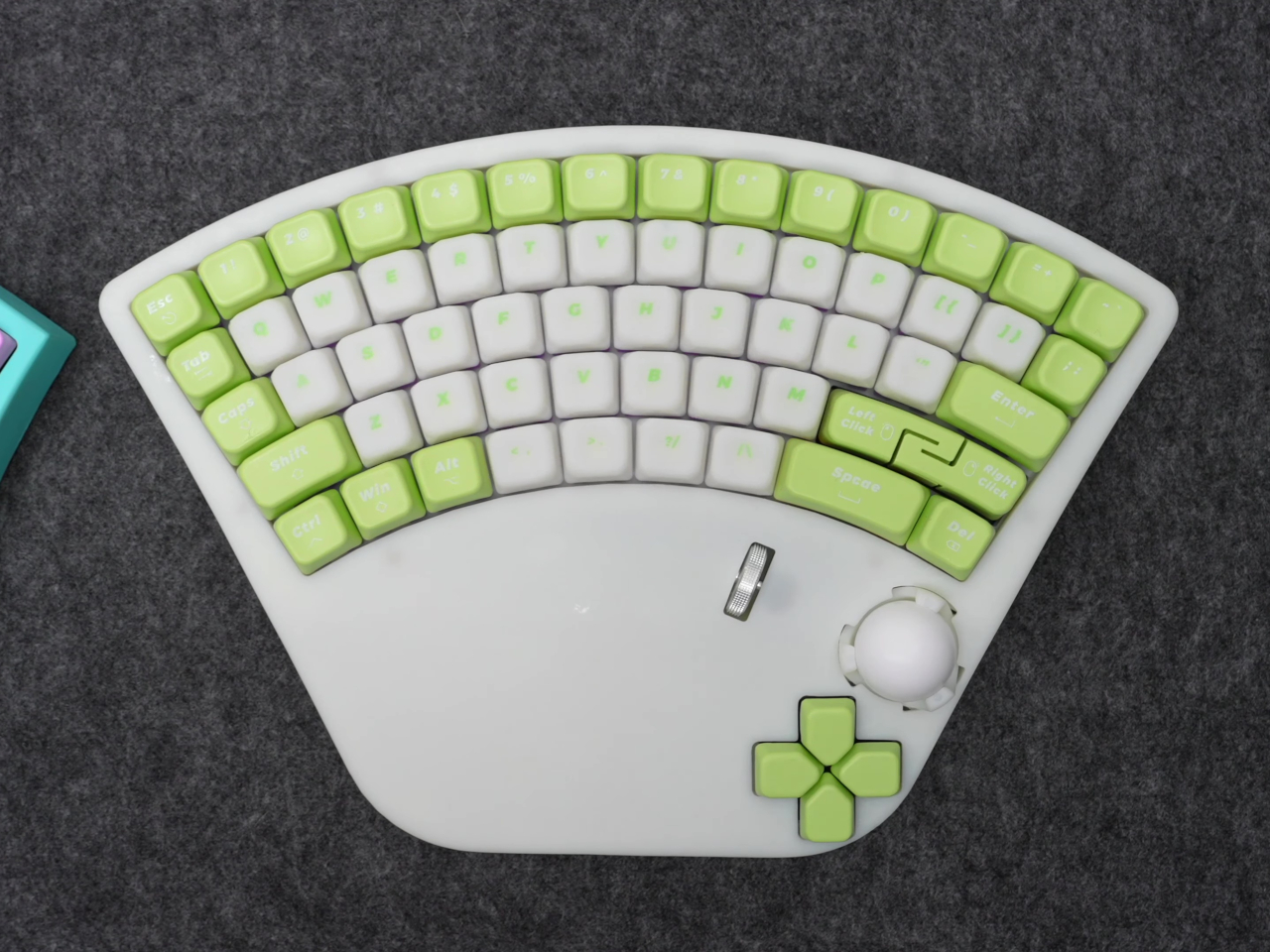
HTX Studio’s story started with a heartfelt request from a father whose daughter lost the use of her right hand in an accident. Determined to restore her digital independence, the designers set out to create a device that didn’t just offer half-measures. Rather than settling for a stripped-down keypad, they built a compact but complete 61-key QWERTY layout, ensuring all the day-to-day essentials are within reach. The creative layout arranges the keys in a fan-shaped arc, so your hand never has to dance awkwardly side to side.
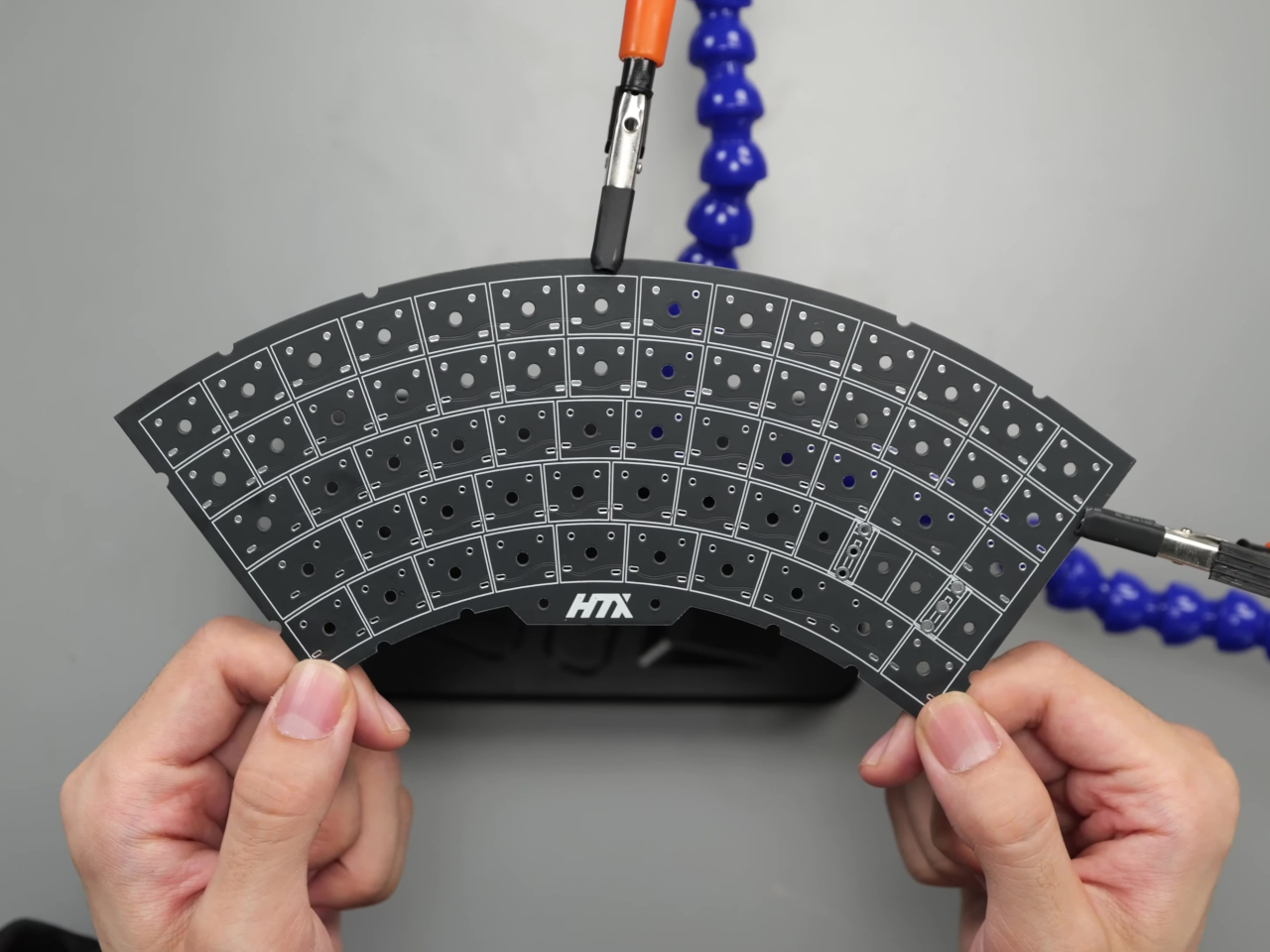
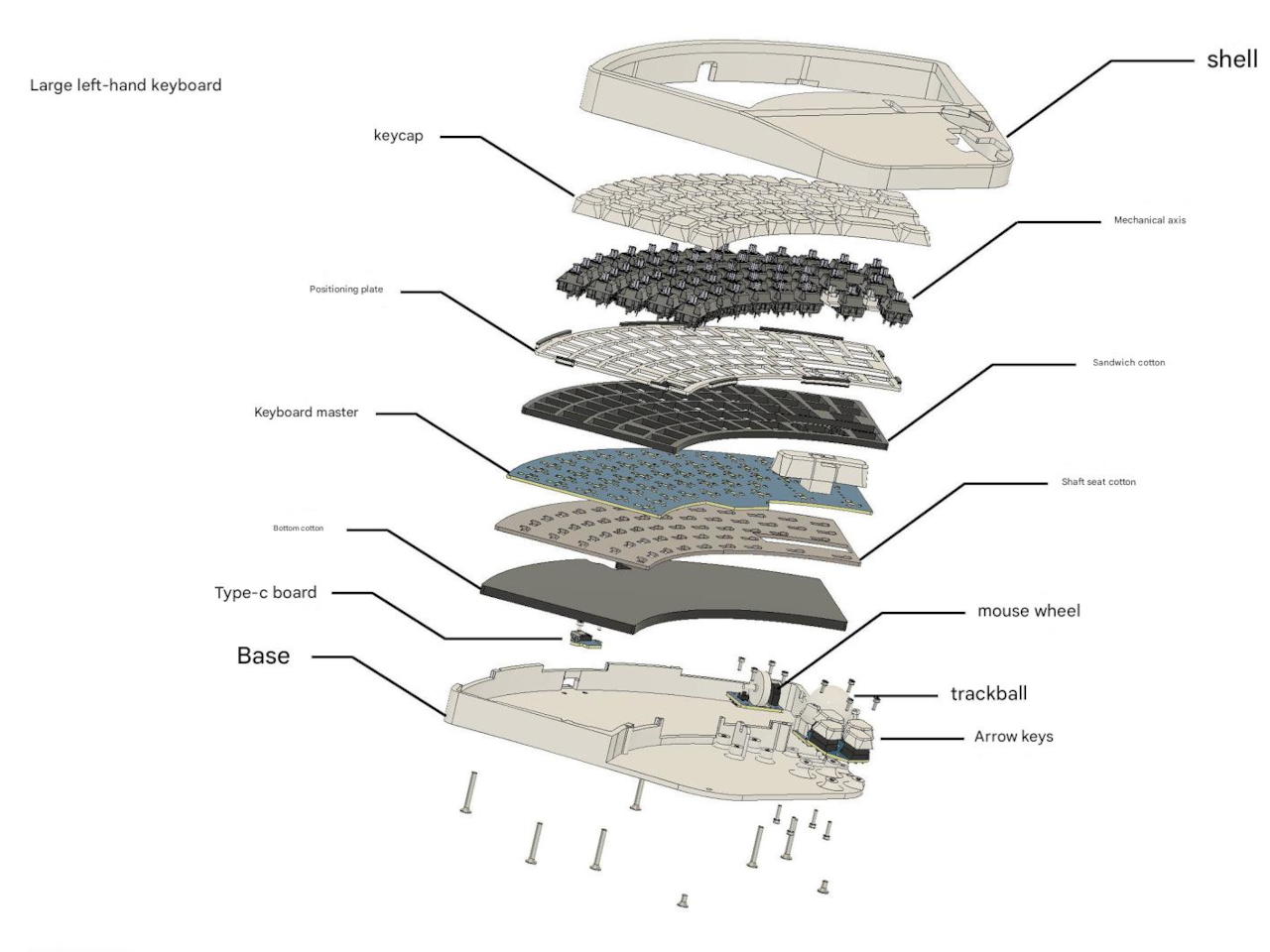
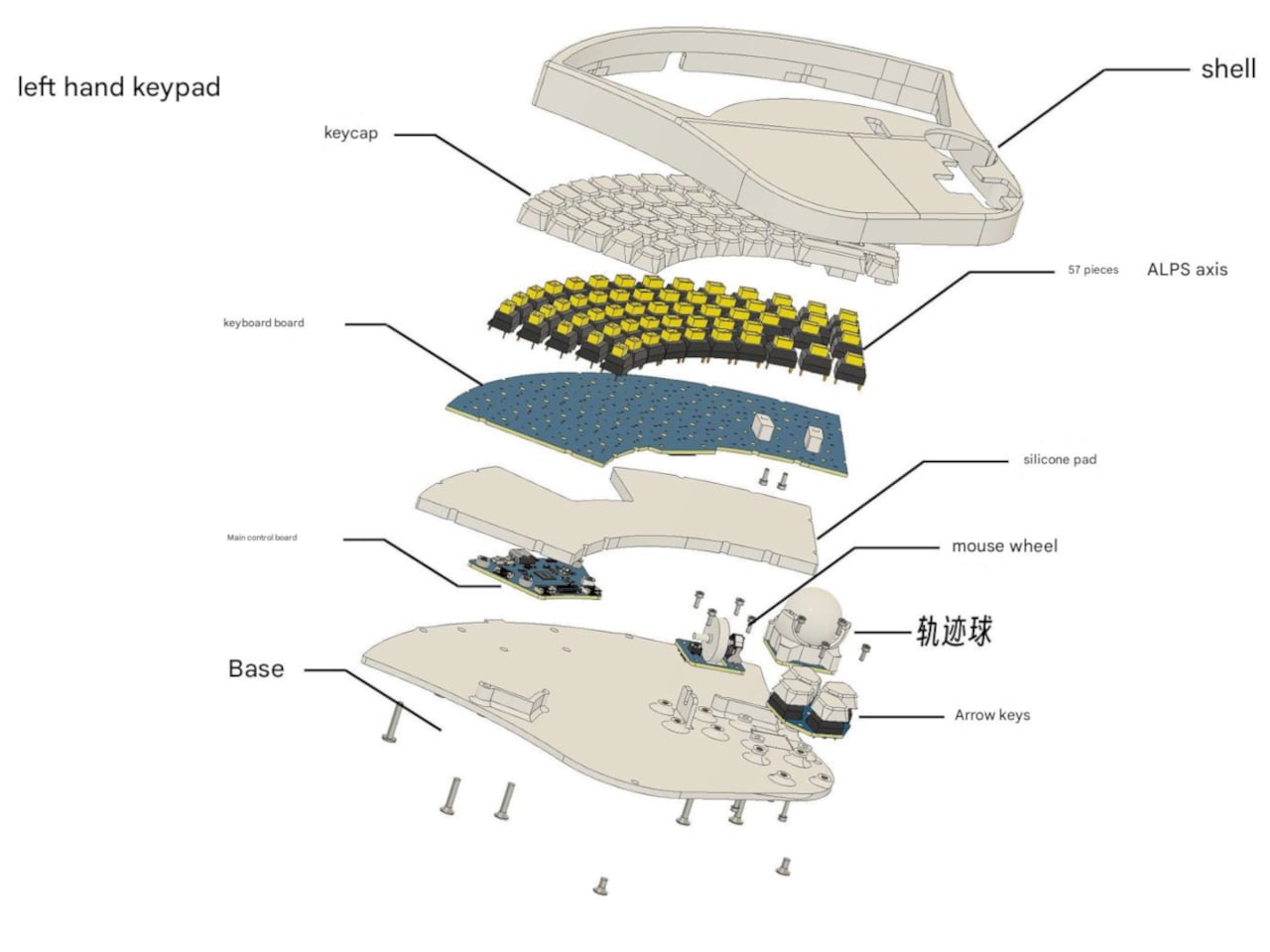
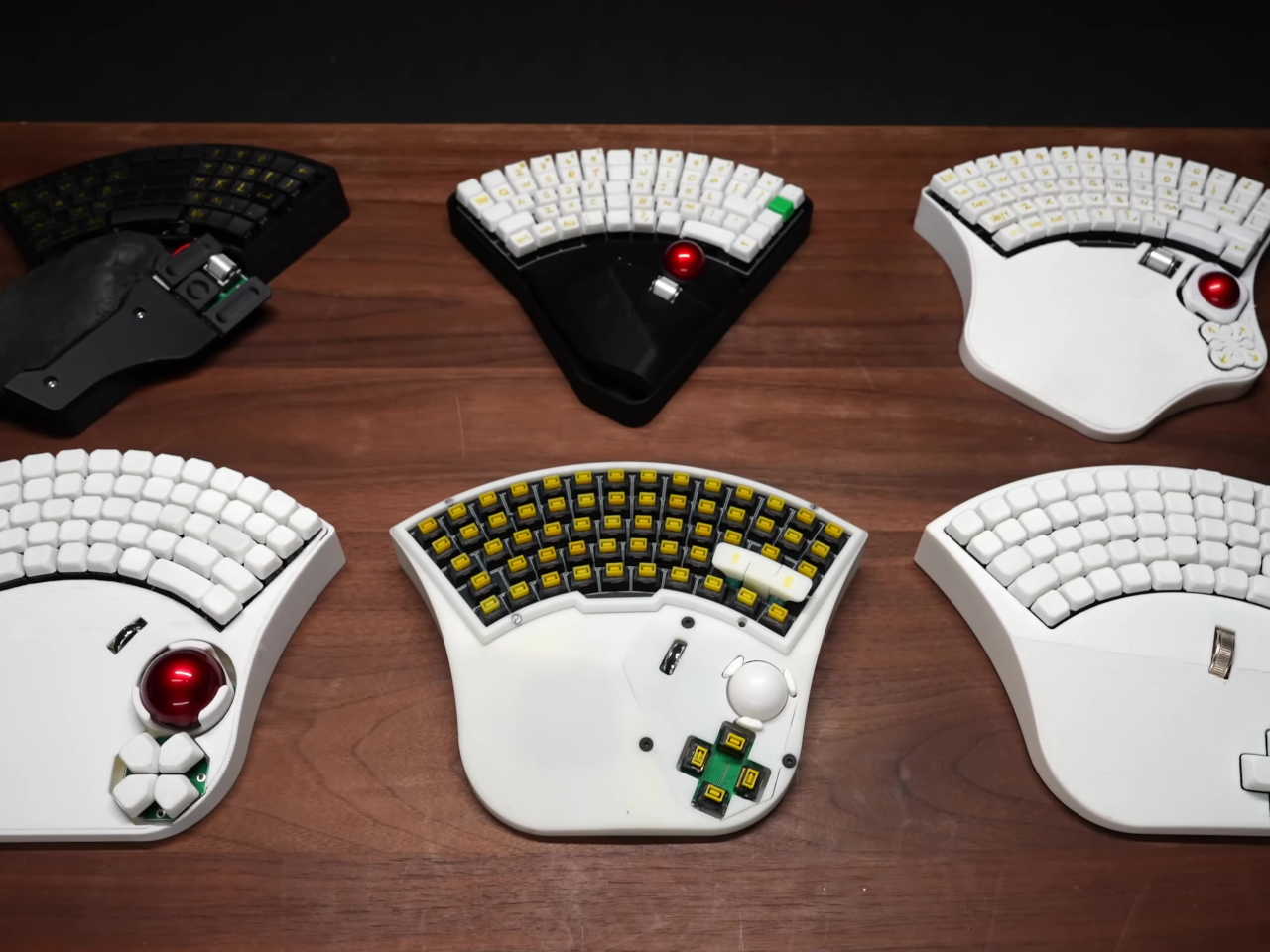
One of the most exciting twists is the addition of a trackball, embedded directly into the keyboard. Instead of reaching for a separate mouse, users can simply roll the ball with their thumb and tap mouse buttons lined up just above, all without shifting position. The mouse wheel is also built in, making scrolling just as easy. This hybrid design means you can write, browse, and click with one hand, and the learning curve is refreshingly gentle.
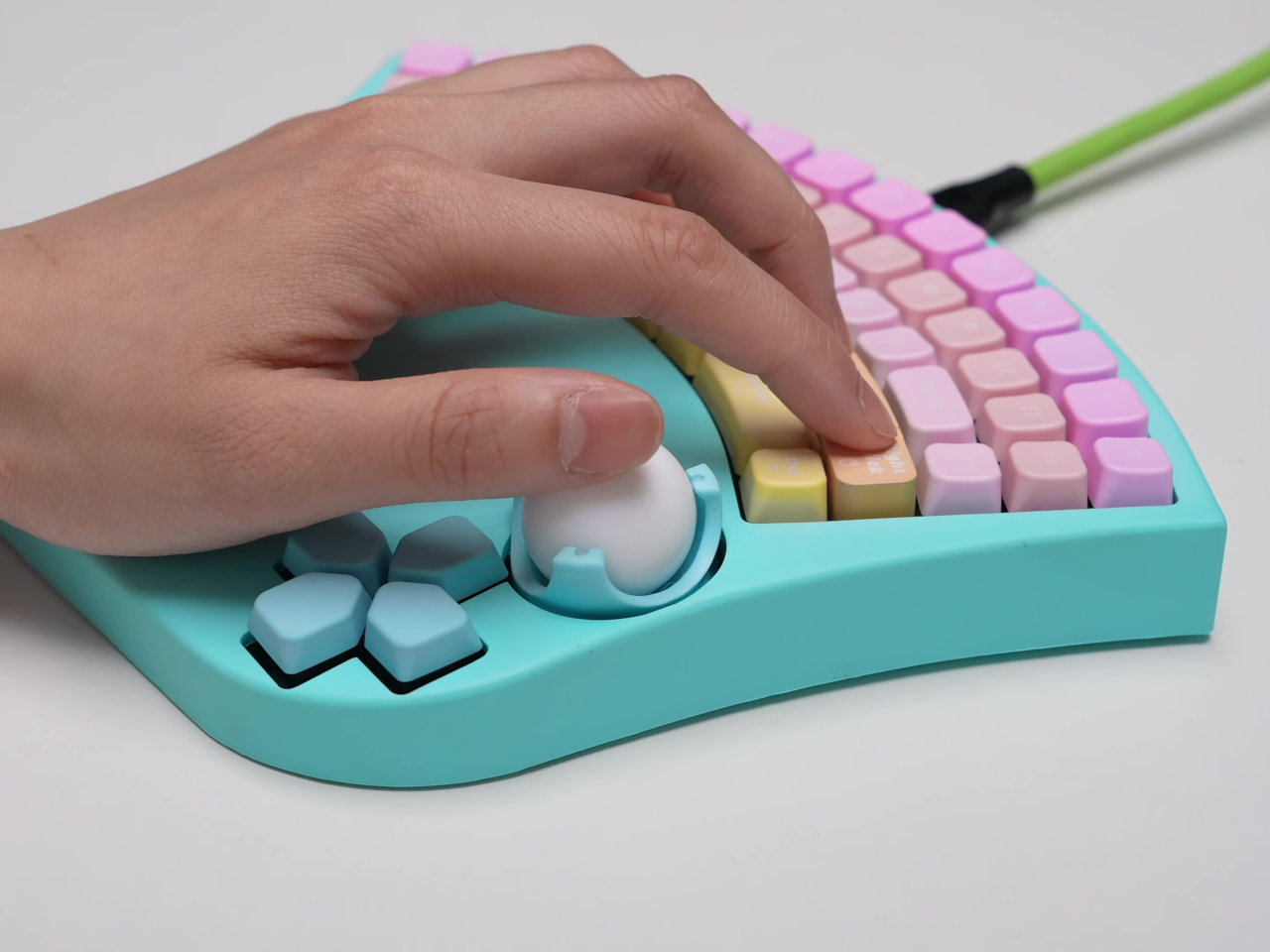

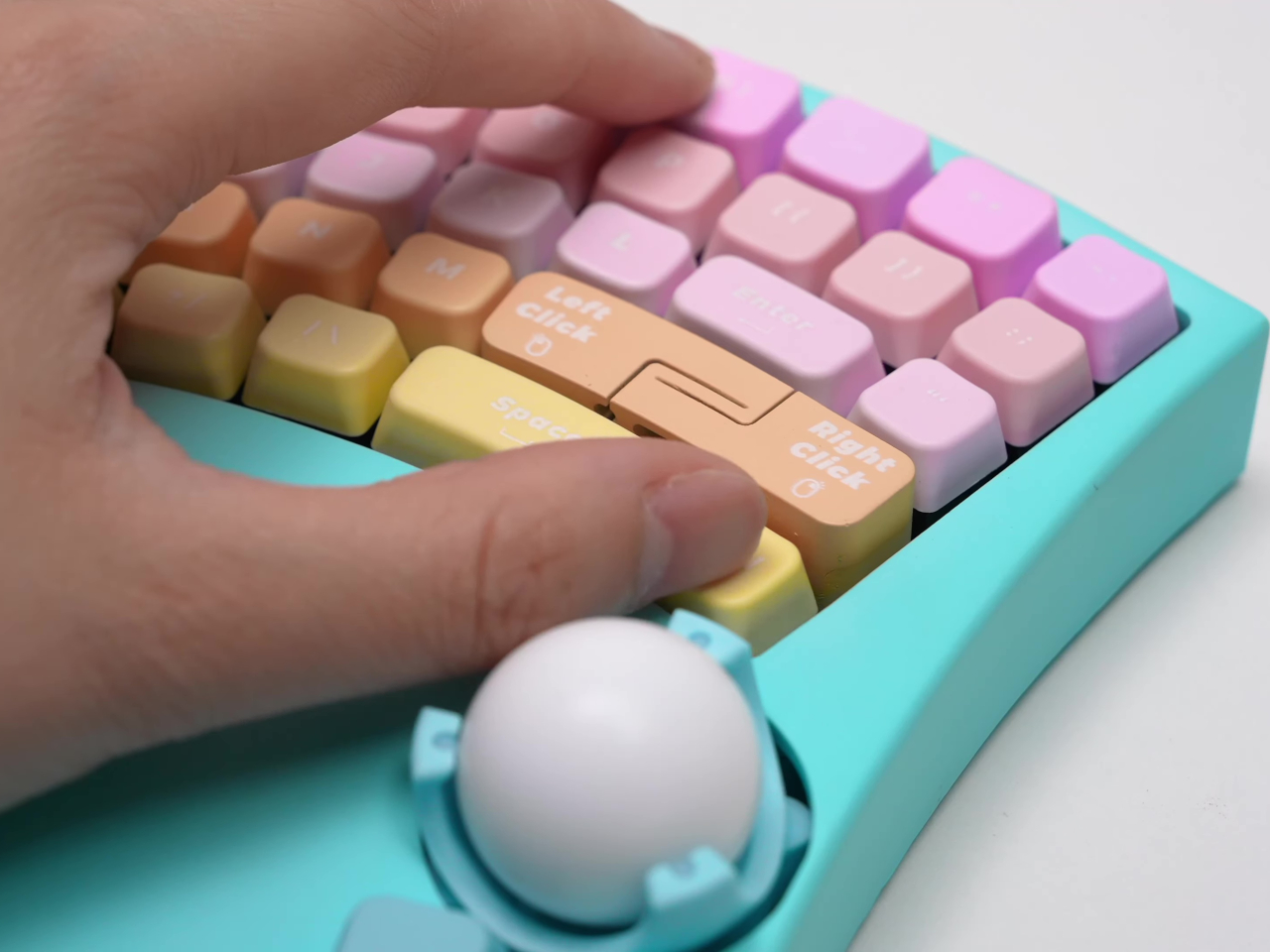
Thoughtful details make the design especially delightful for makers and accessory designers. The space bar and backspace have been moved right under the thumb’s natural resting place, reducing fatigue and boosting speed, while the compact key count keeps the device nimble and uncluttered. For those with larger hands, there’s a bigger version, while left- or right-handed preferences are catered to with mirrored layouts. Flexibility abounds, making it easy to adapt the design to different needs.
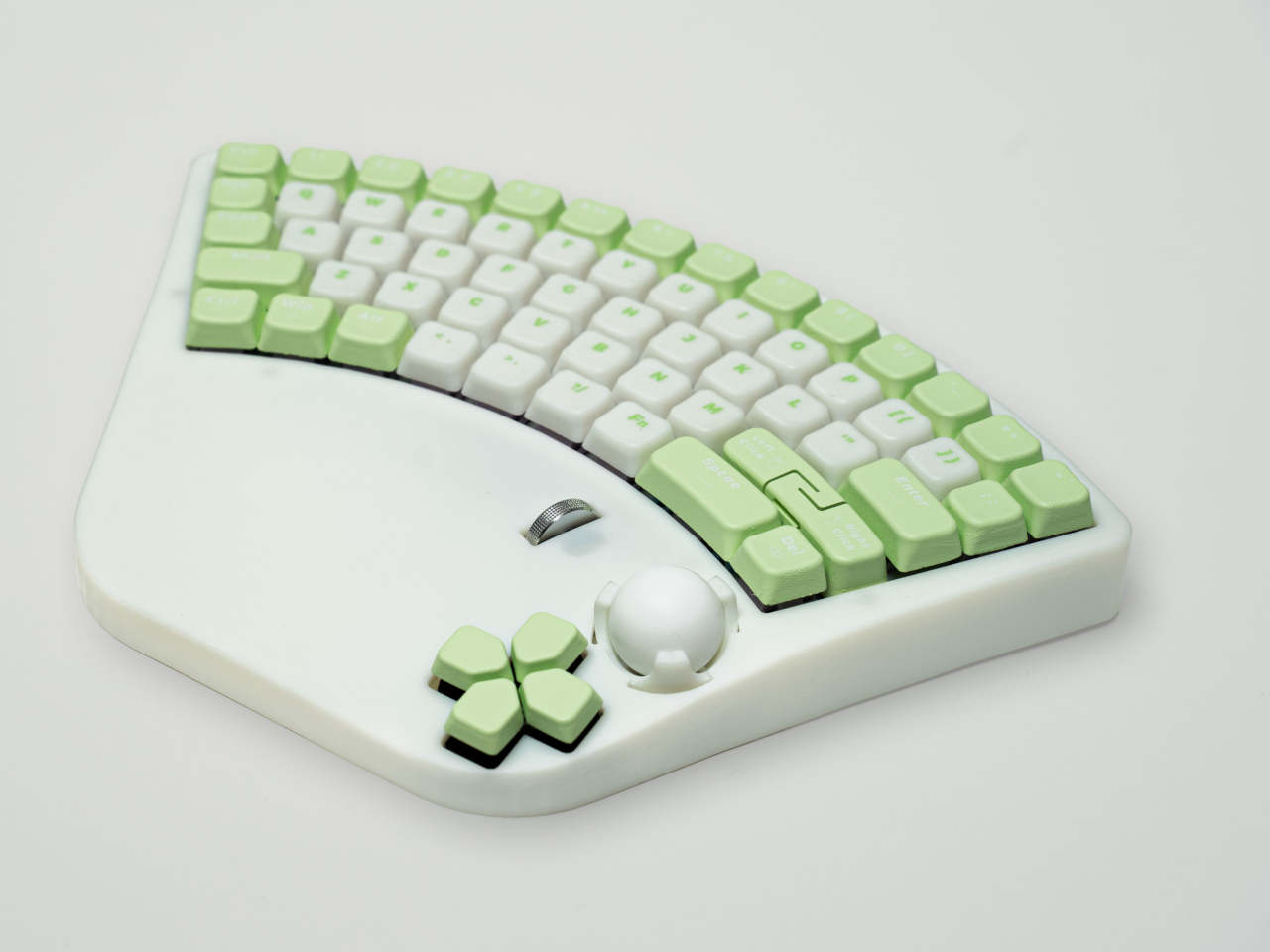
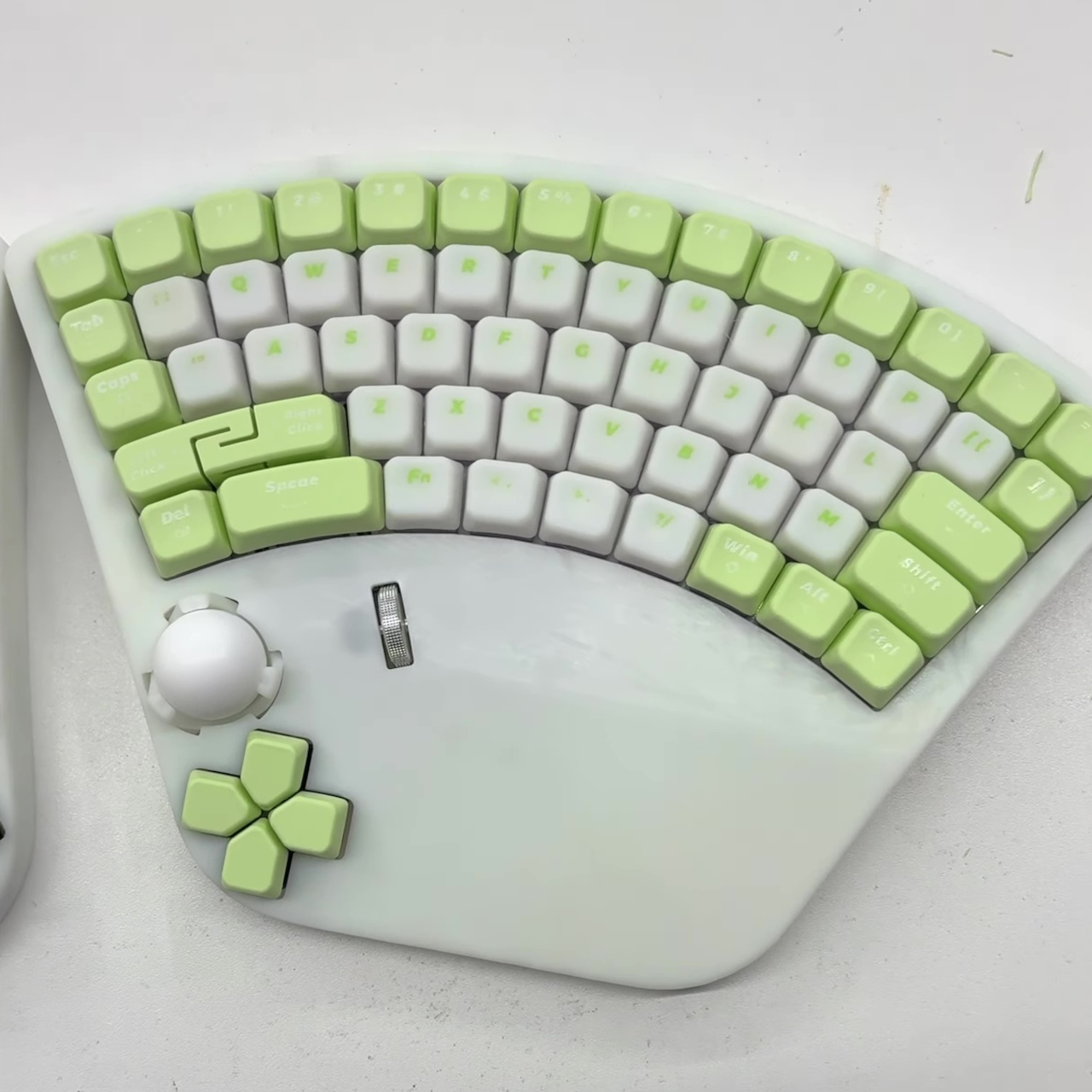
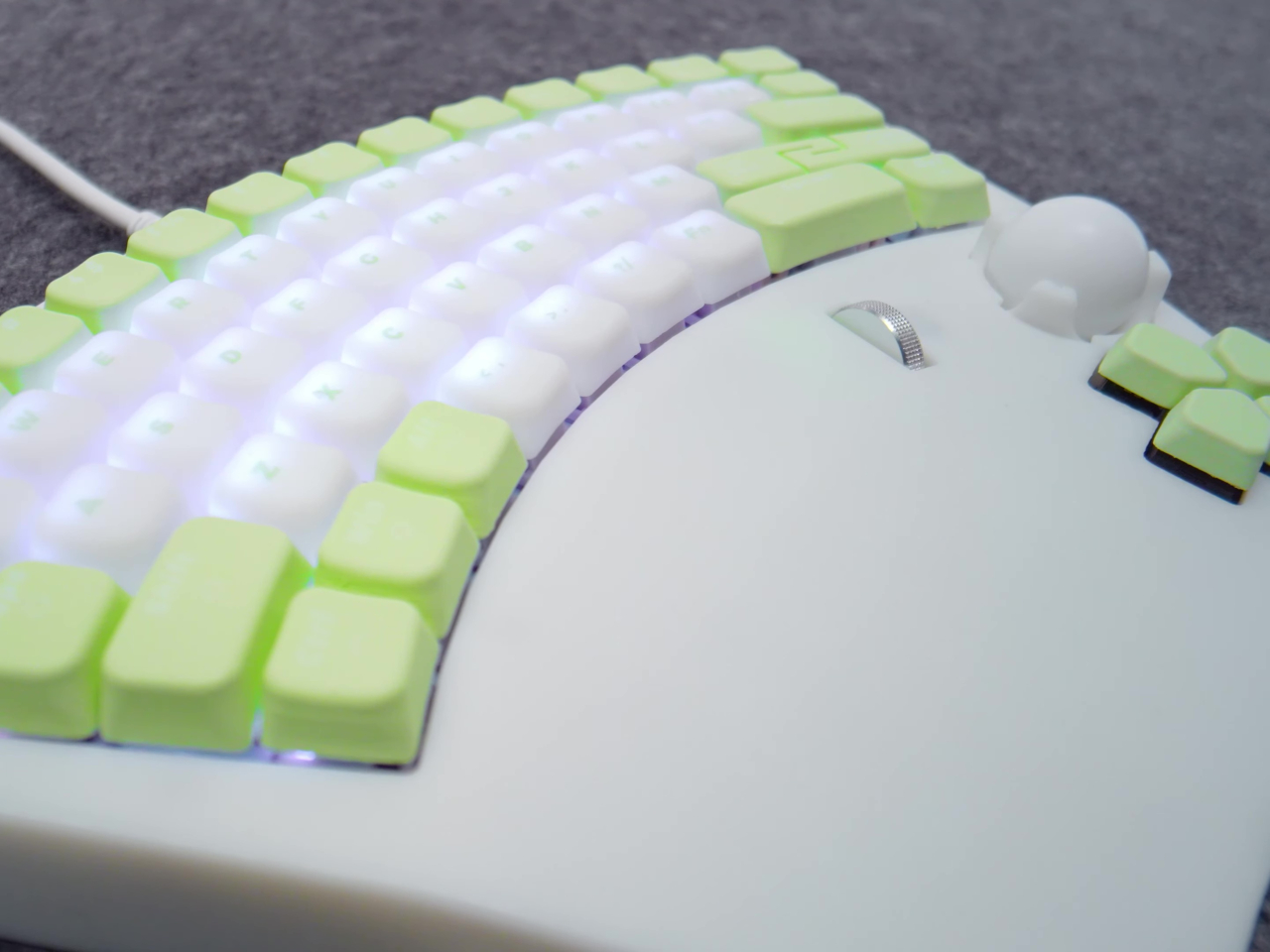
Perhaps the best part is that HTX Studio has released the design as open source, inviting the community to build, modify, and share improvements. It’s an open invitation to experiment and help people reclaim the joy of using computers, regardless of physical ability. Whether you’re a designer searching for ergonomic breakthroughs or someone who knows the frustration of inaccessible tech, this one-handed keyboard feels like a welcome revolution.
The post first appeared on .
Related Posts