PROS:
- Fun, quirky, and stylish design
- Create rotating solution to typical stands and mounts
- Functional and tactile fabric exterior
- 66Wh built-in battery for hours of use
- Built-in Google TV with officially licensed Netflix needs no extra dongle
CONS:
- A bit pricey
- Single 5W speaker
- 750W ISO lumens lamp requires a darker environment
Portable projectors have gotten better on paper, but setting one up in an unplanned setting has stayed stubbornly complicated. Finding a surface at the right height, manually correcting the geometry, and discovering the angle is still off after all of that are steps that haven’t gone anywhere. The gap between what portability promises and what it delivers in practice is one of the more persistent frustrations in personal electronics.
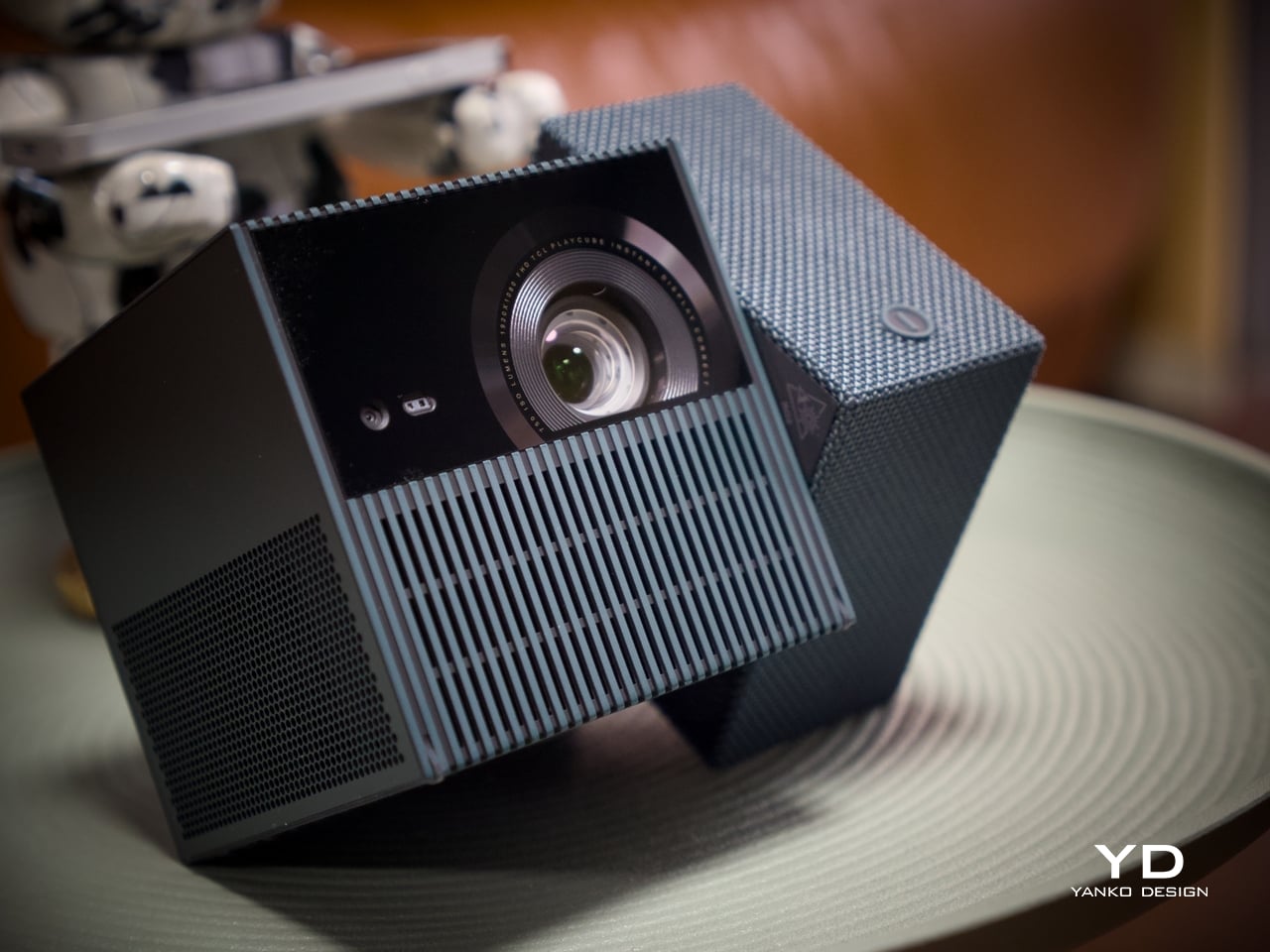
The TCL PlayCube is built around that gap. Rather than adding features to a conventional projector body, it rethinks the form: a compact, nearly cubic unit where the upper half rotates to steer the projection without physically moving the whole device. A built-in 66Wh battery, Google TV, and officially licensed Netflix round out the package, making a case for portability that actually holds up outside of a product demo.
Designer: TCL
Aesthetics
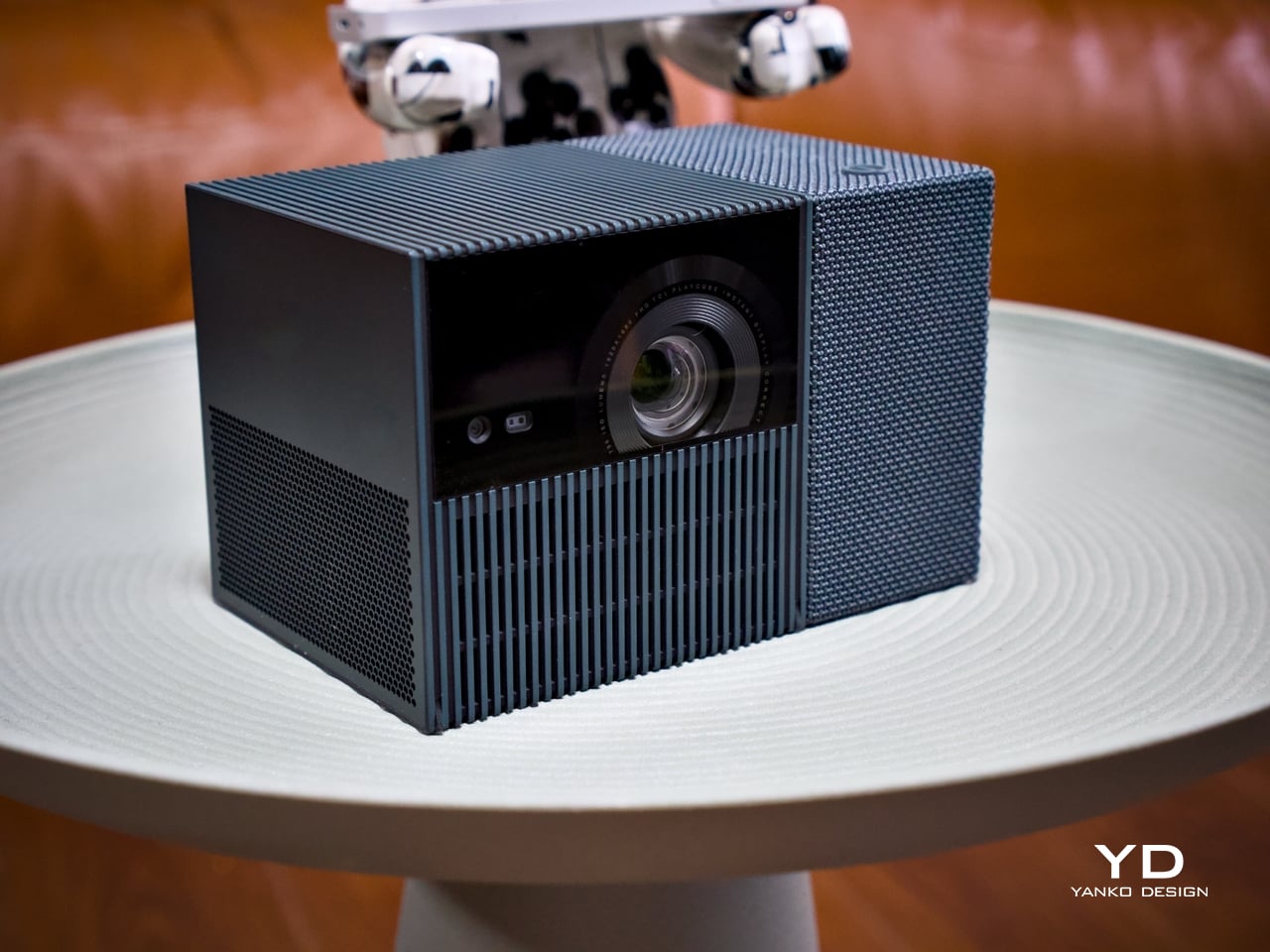
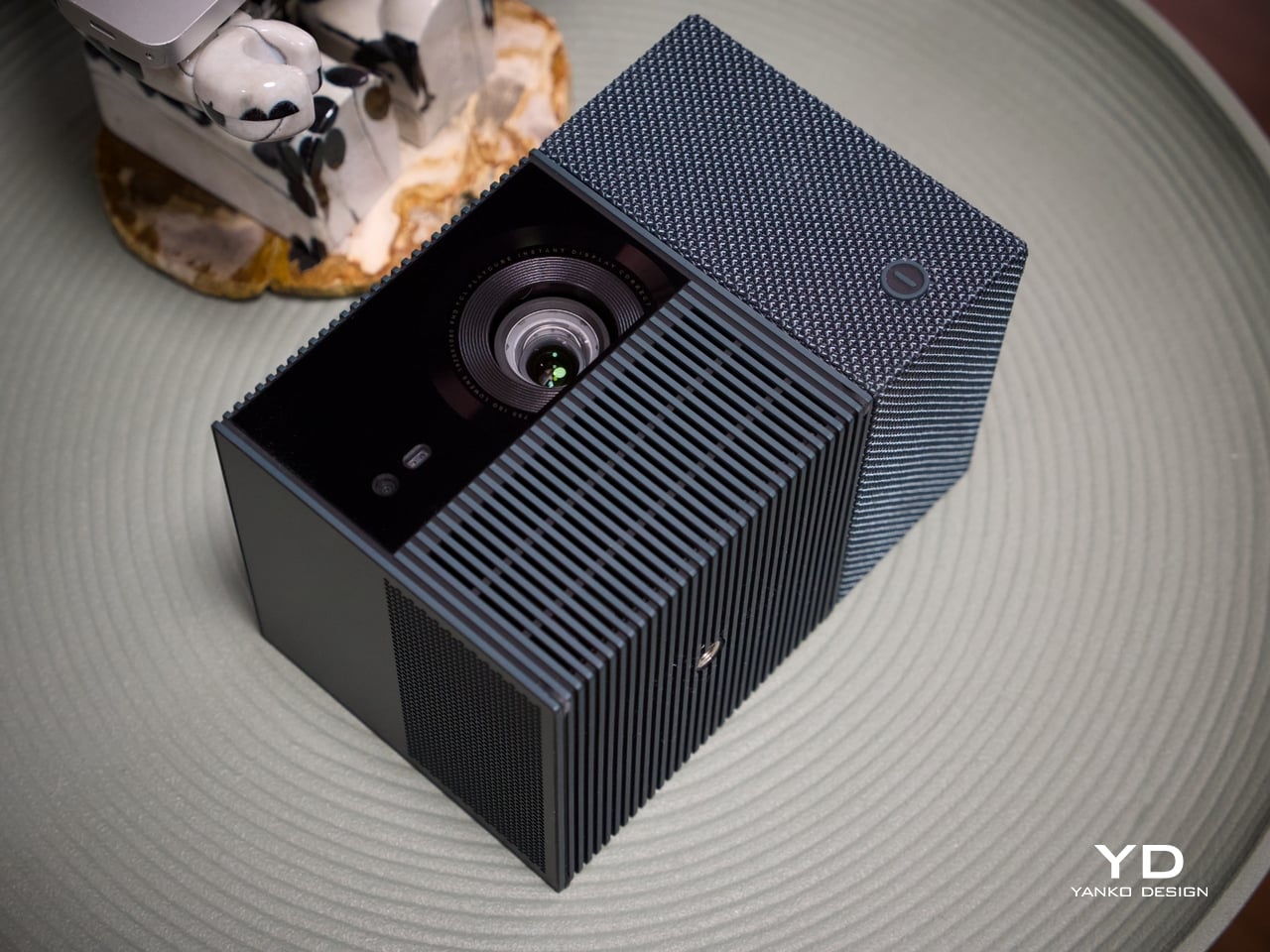
Most portable projectors don’t have a recognizable silhouette, tending toward flat or cylindrical shapes distinguished mostly by logo and color. At 149.8mm x 96.6mm x 96.6mm, the PlayCube arrives with proportions that feel genuinely considered. The near-cubic geometry stands apart on a shelf or tabletop, and the rotating sections make the mechanism visually legible, so the form communicates what the product does before you even touch it.
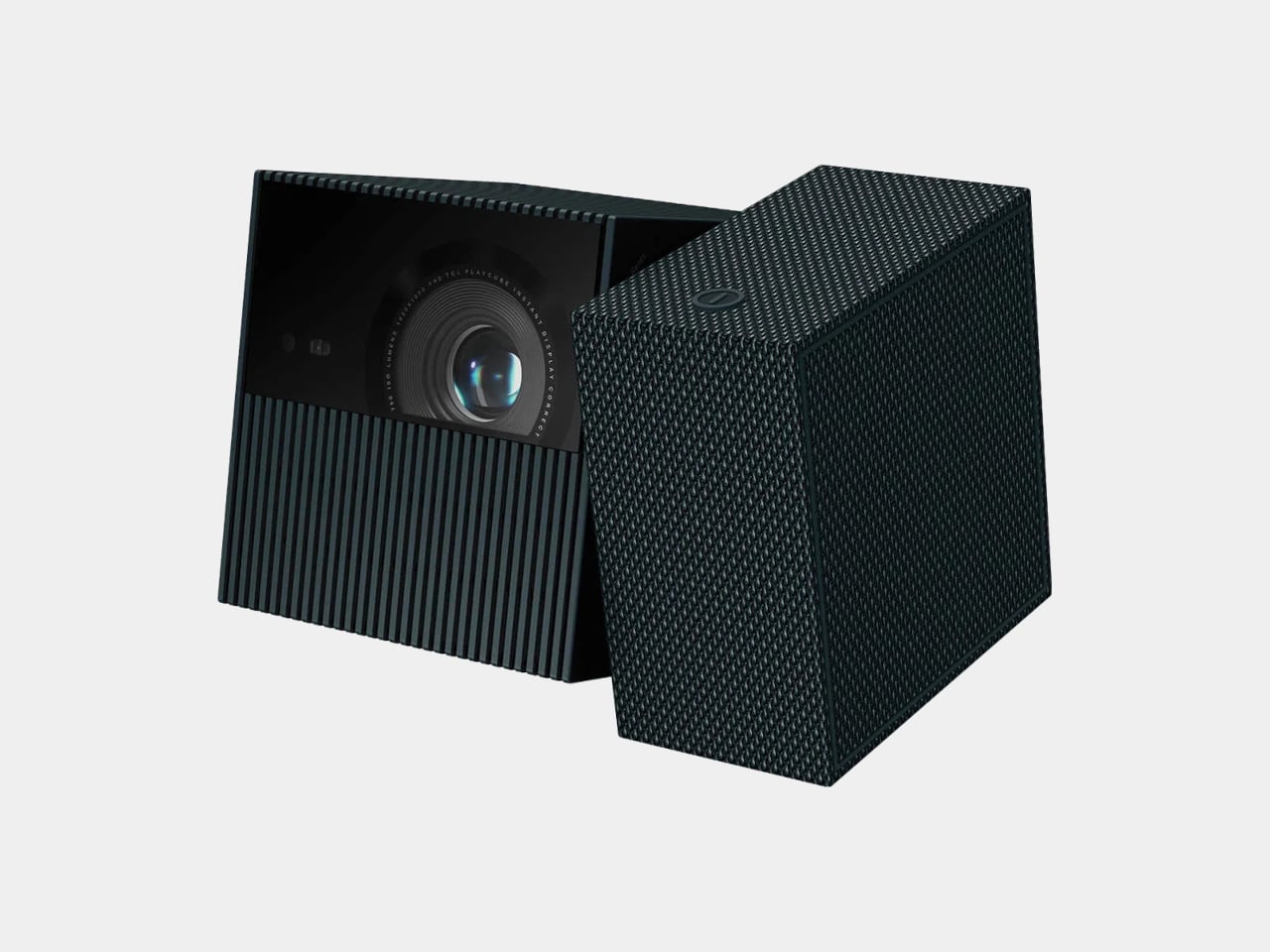
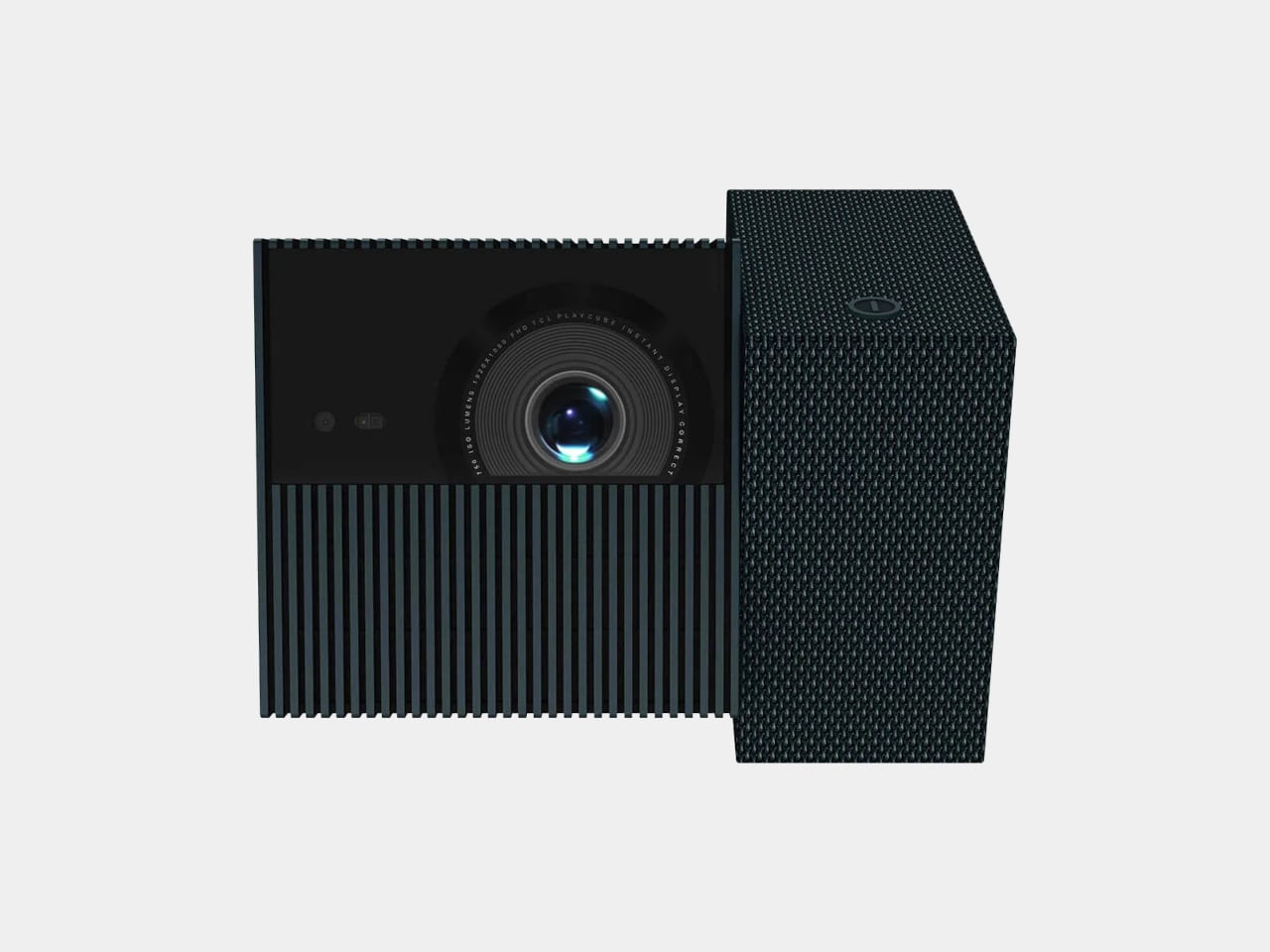
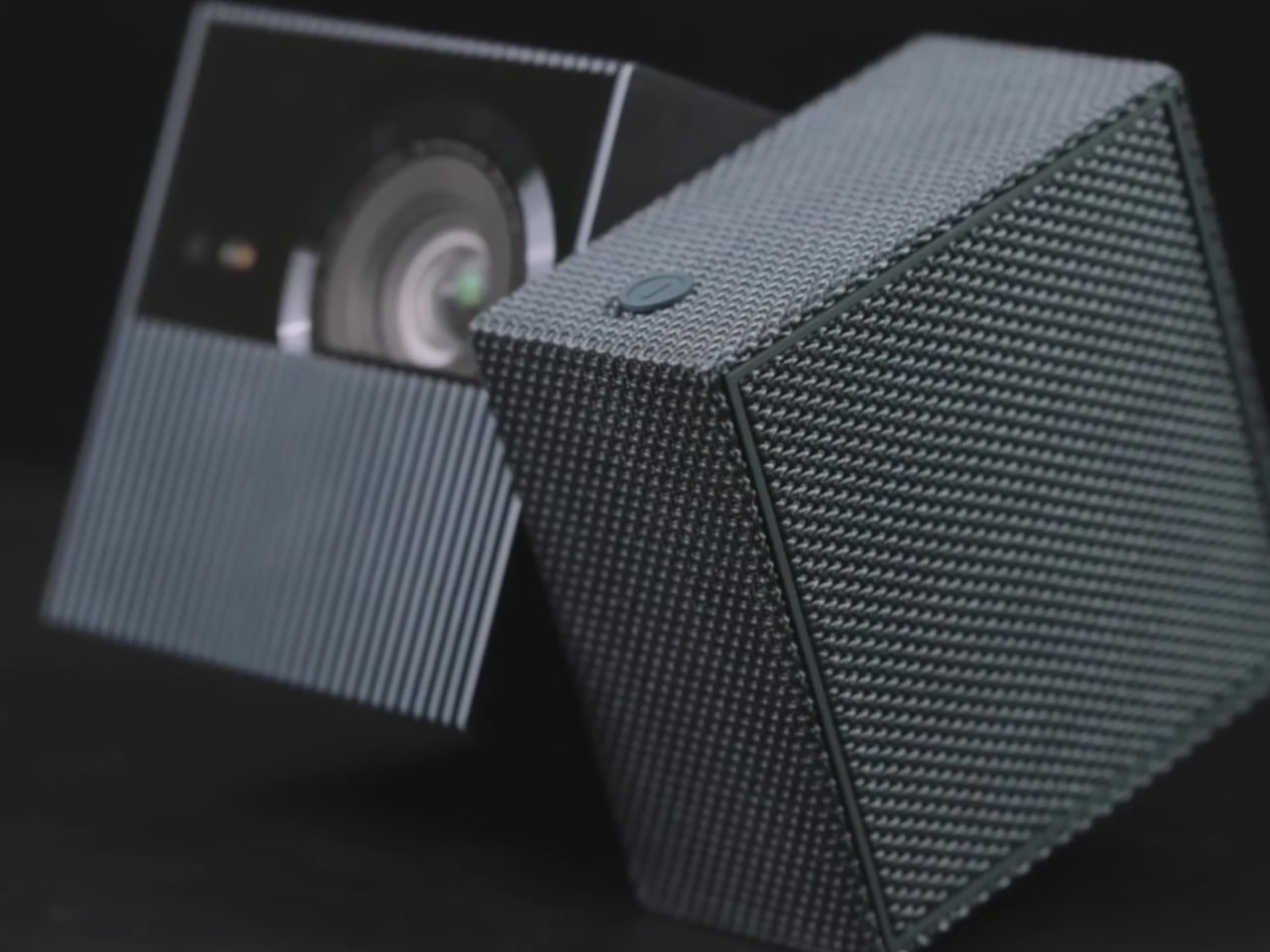
Those sections are where the design does its most interesting work. Twisting it redirects the projection without moving the whole unit, making the device feel less like a sealed gadget and more like a tool with a clear physical interface. The visual logic is borrowed from the Rubik’s Cube, and the reference earns its place, signaling play, interaction, and adjustability in a product that actually delivers those qualities.
The exterior is wrapped in an outdoor waterproof speaker fabric that went through acoustic testing before landing on the finished product. The result is a surface considerably warmer and gentler than the matte plastic or rubberized textures typical in the category. It makes the PlayCube feel approachable in a way most tech products don’t manage, closer to a domestic object than a piece of AV equipment.
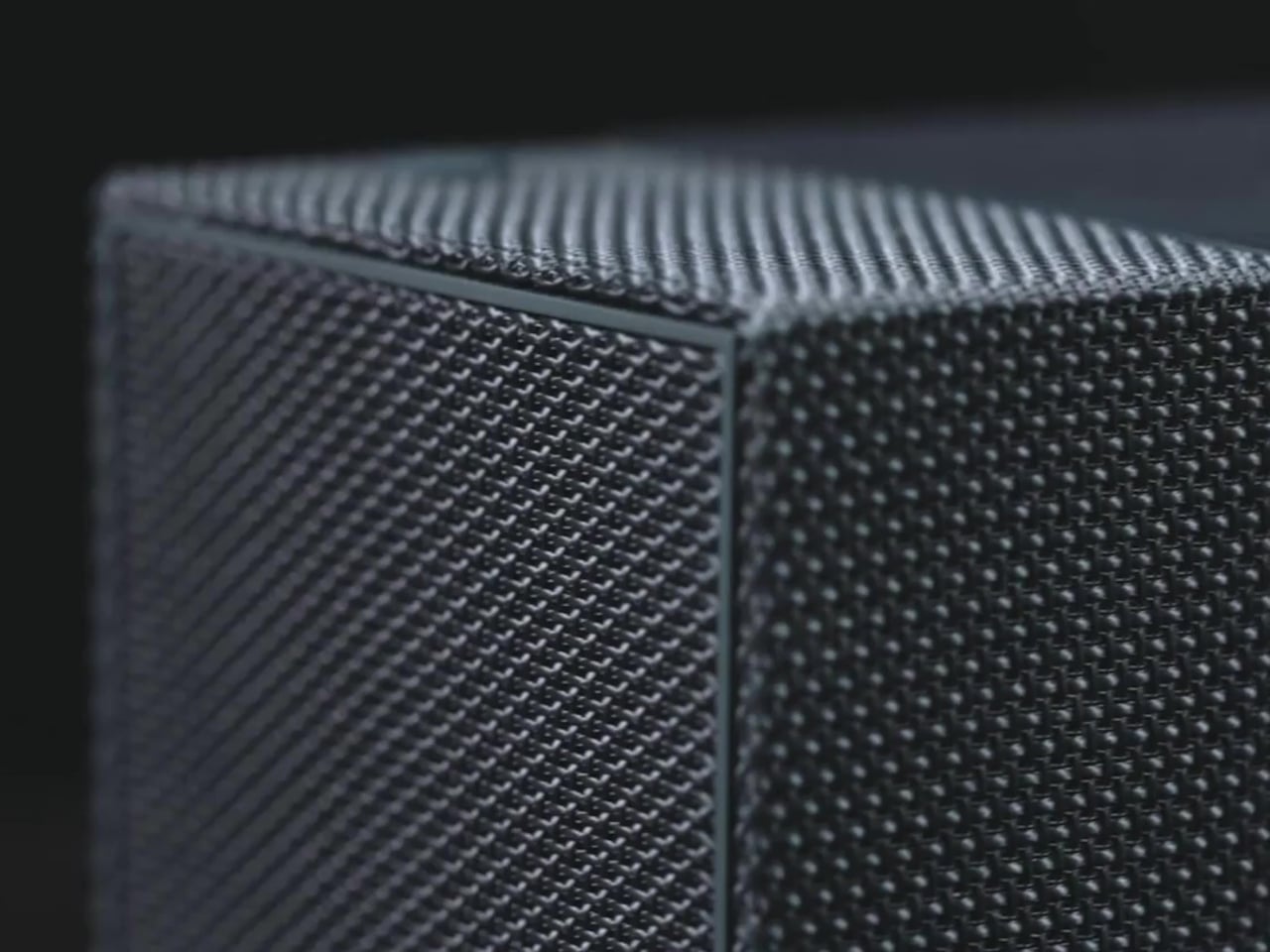
Choosing a textile exterior for a device that also functions as a speaker enclosure is a decision that works on multiple levels. The fabric repels environmental interference, blends into different settings without the harsh visual presence of a glossy casing, and gives the surface a softness that makes handling feel natural. On a nightstand, a coffee table, or an outdoor spread, the PlayCube’s material finish doesn’t announce itself as electronics.
Ergonomics
At 1.3kg, the PlayCube is light enough to move between rooms without planning for it, and the cube-like shape stows more cleanly in a bag than the elongated designs common in the category. The built-in 66Wh battery delivers up to three hours of playtime, enough for a full movie, and USB-C charging means a portable power bank can extend that window considerably when an outlet isn’t available.
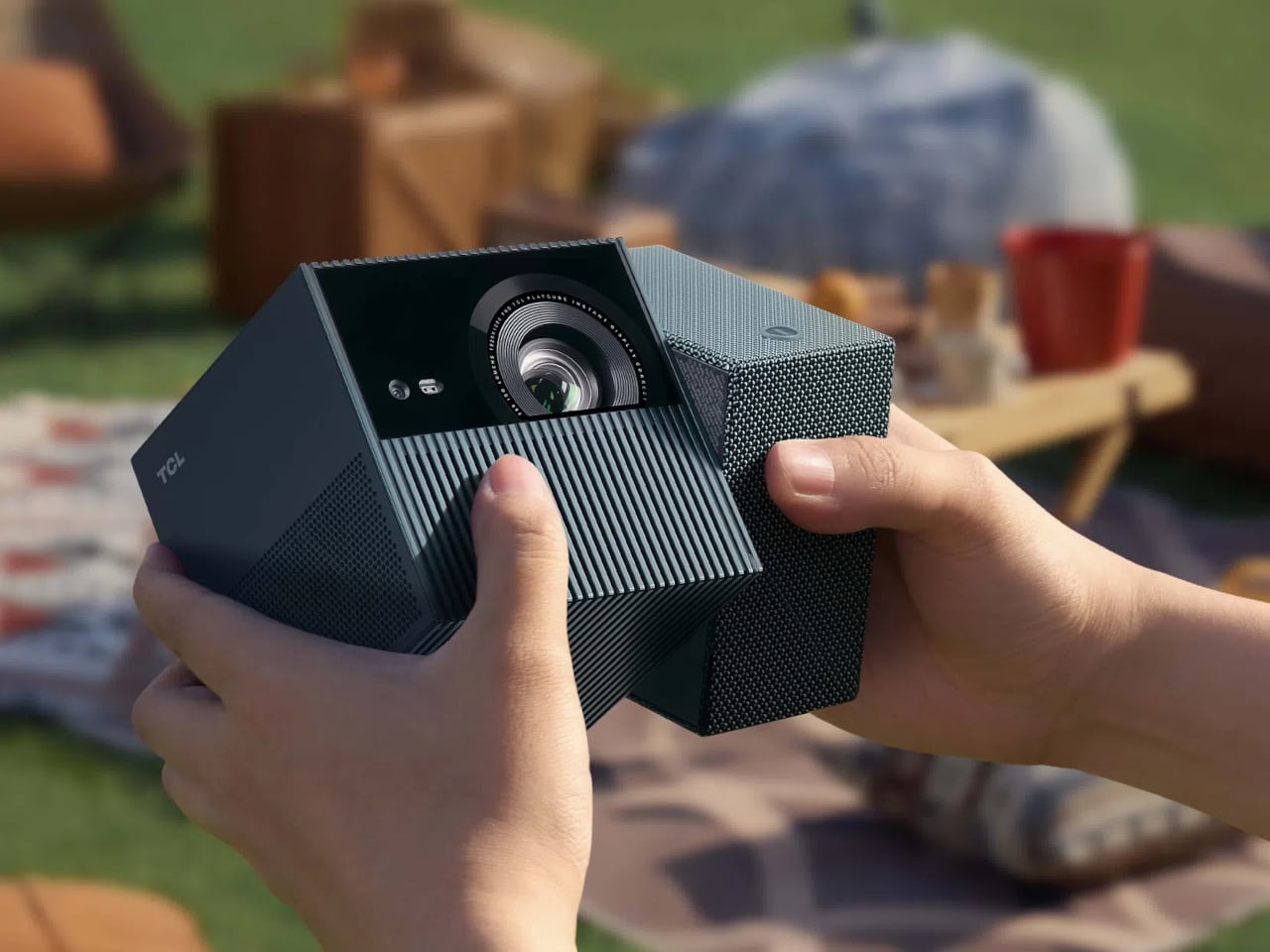
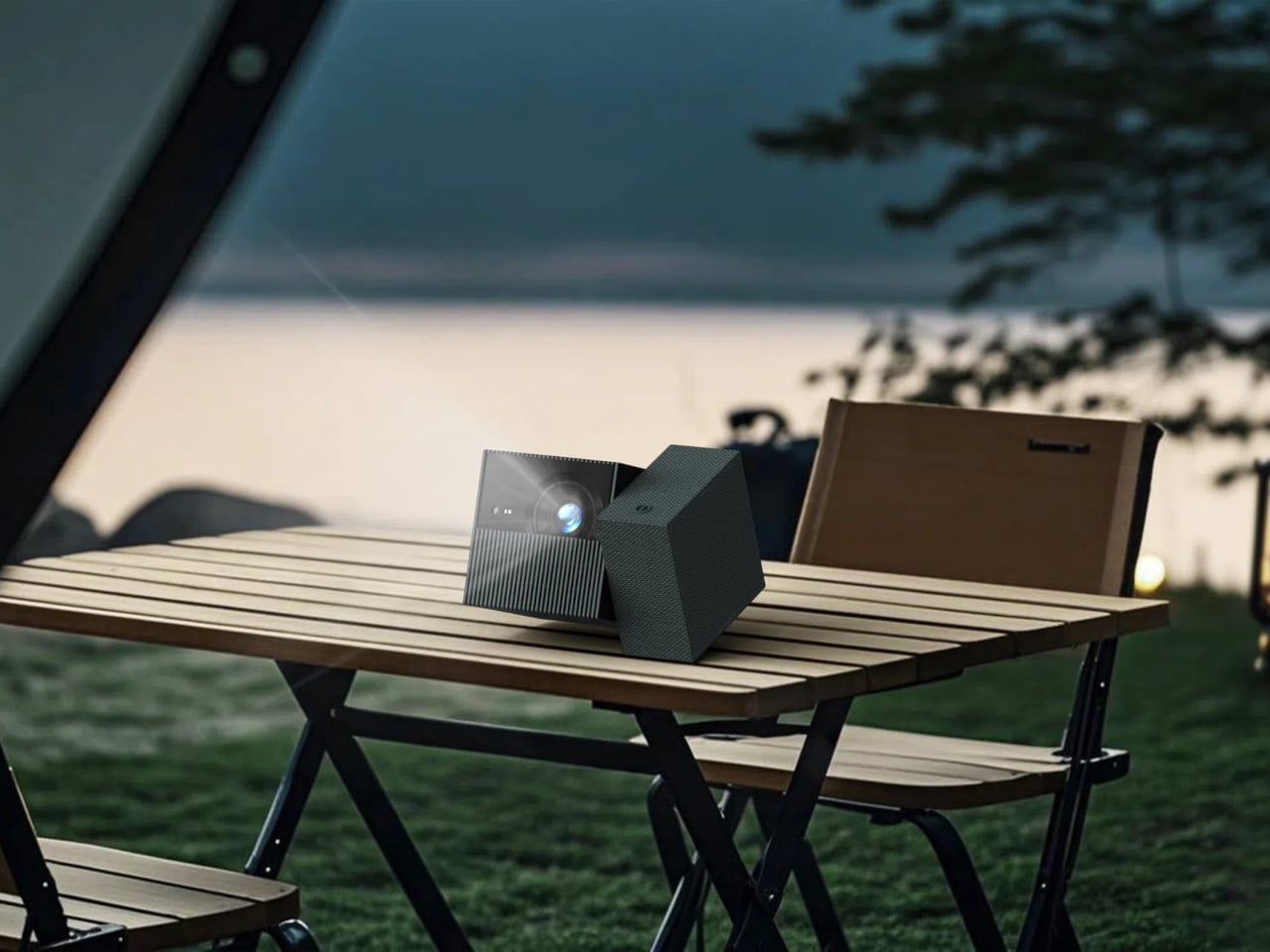
Aim the PlayCube toward a bedside ceiling, and you’d normally need mounting hardware or a creative stack of books to hold the right angle. Here, a simple twist of the upper half handles the redirection, making ceiling projection something you’d attempt on a whim rather than plan for in advance. The rotating design earns its place in the ergonomics story as firmly as it does in the aesthetic one.
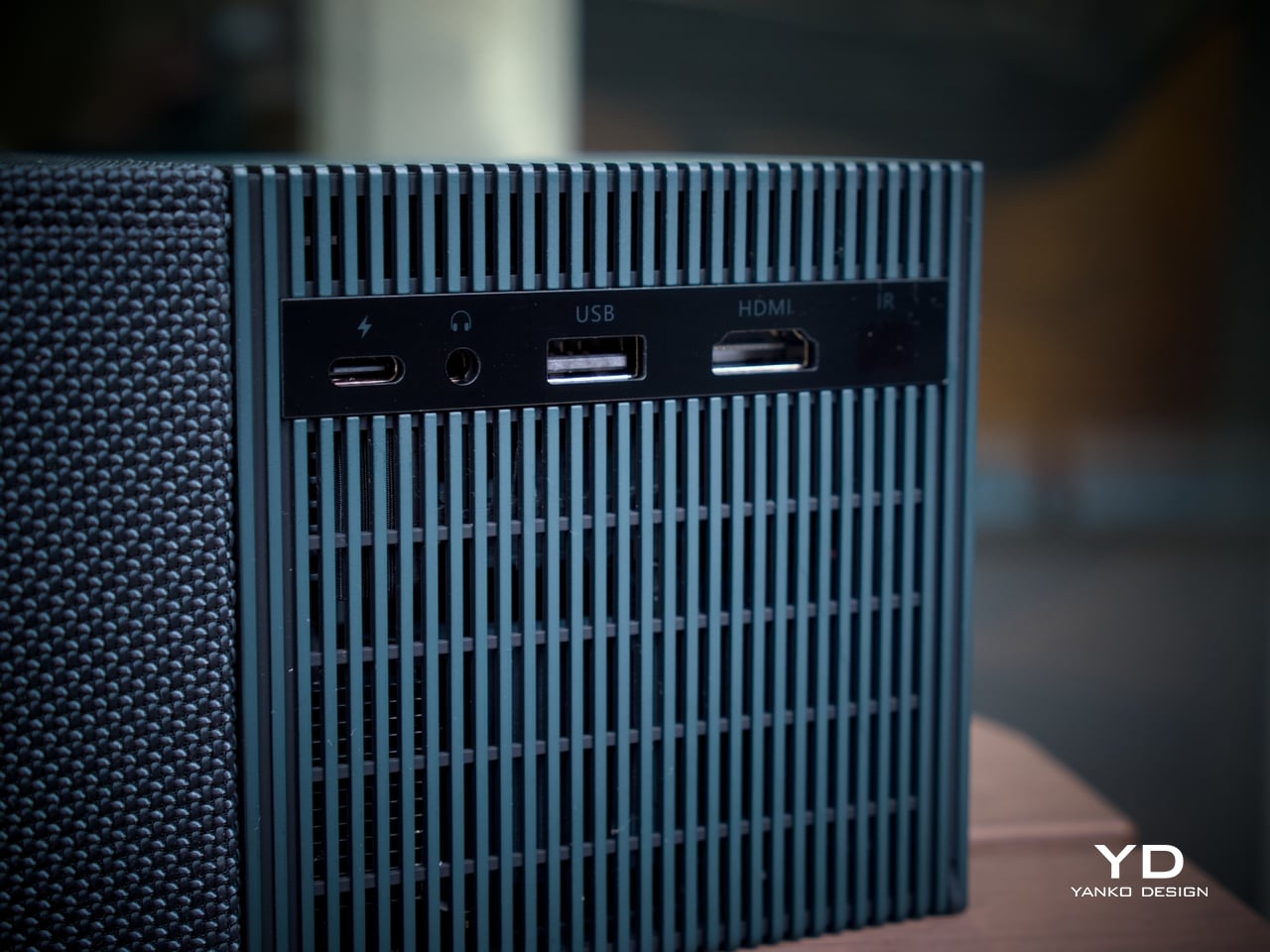
Connectivity is thorough for the size. An HDMI input, USB 2.0 port, and 3.5mm audio output cover the physical side, all of them located on the back for a single point of access. Bluetooth 5.1 and WiFi 5.0 handle the wireless stack, and the Bluetooth connection makes pairing an external speaker effortless whenever the built-in driver isn’t quite enough for a given setting. A standard tripod thread at the base opens up more formal placement options.
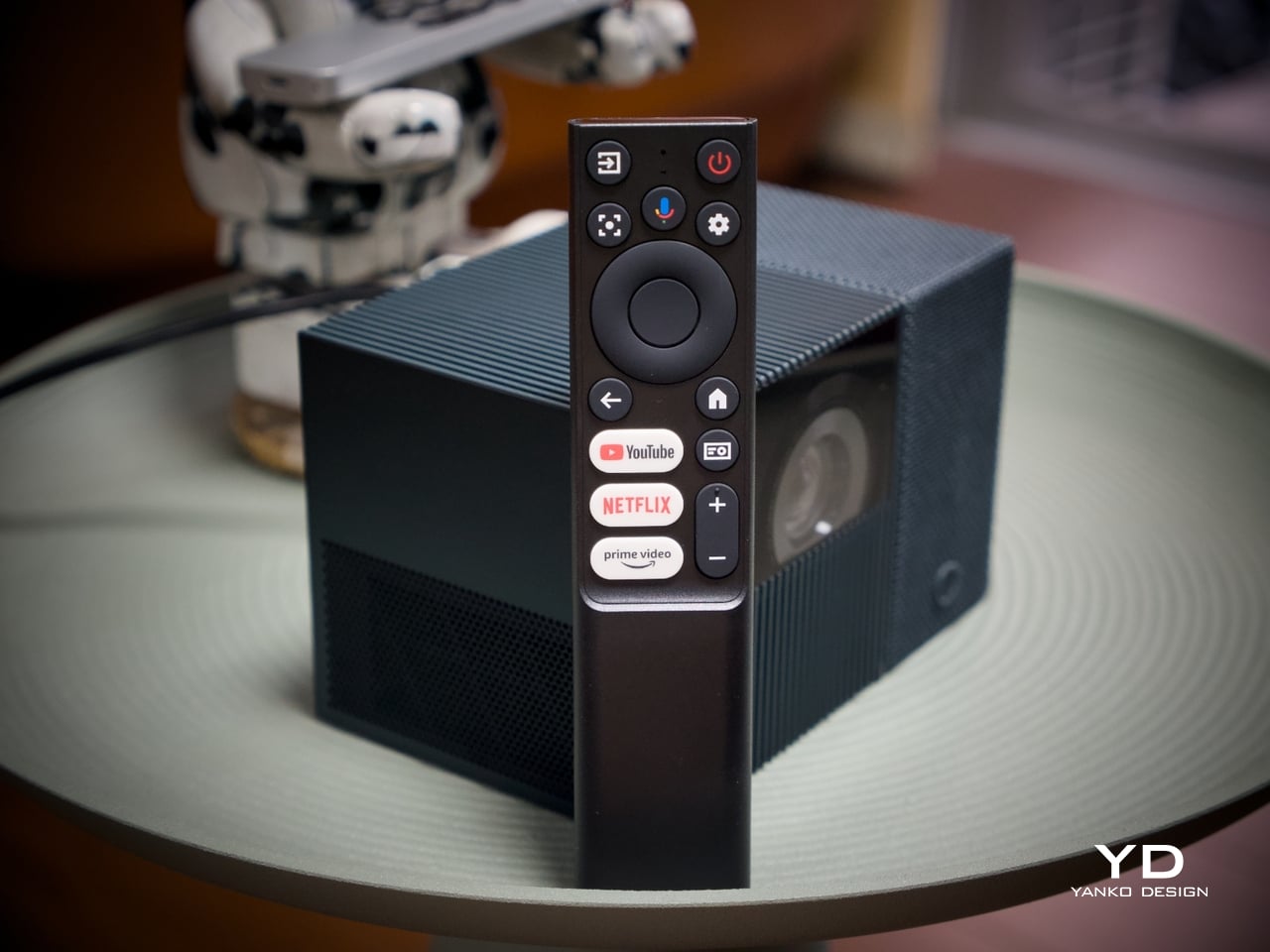
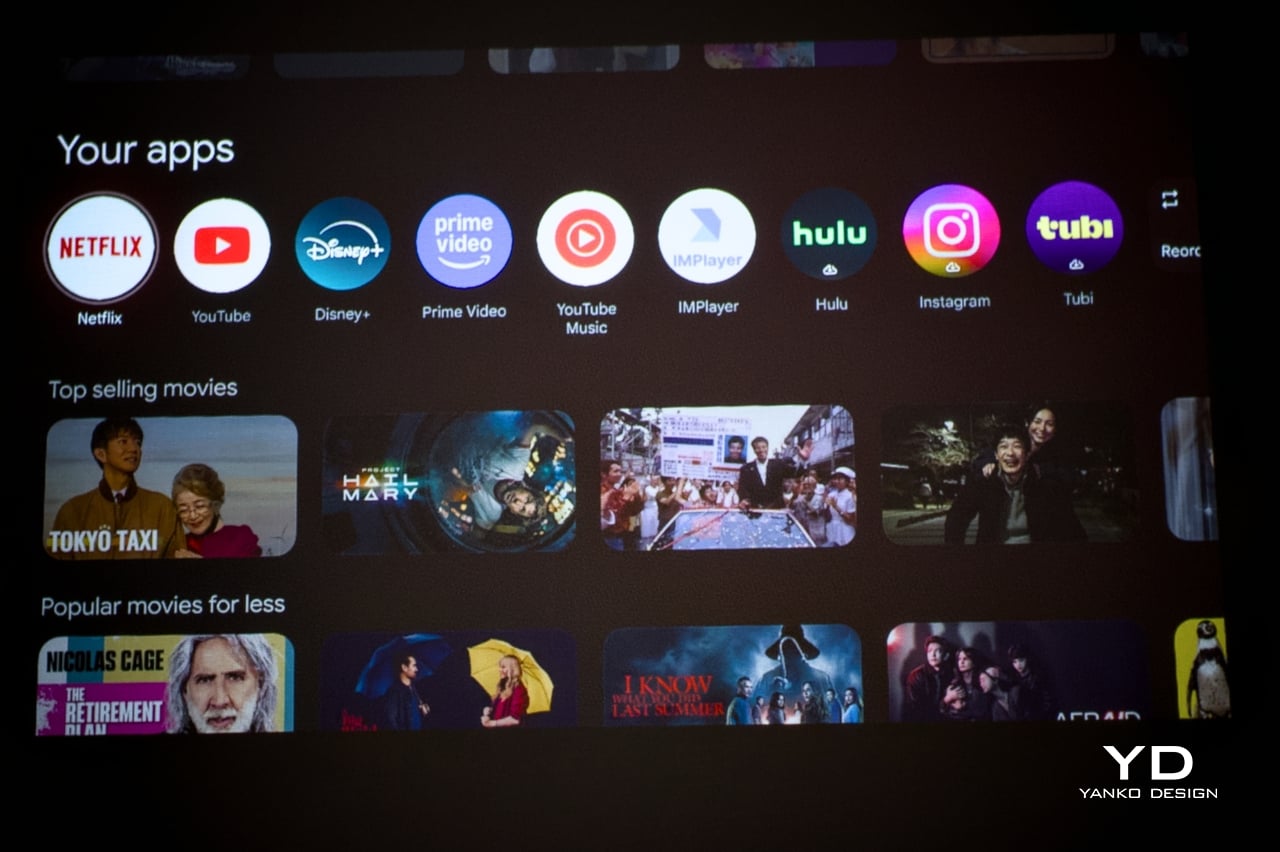
The included remote is compact and covers quick-access buttons for the most commonly used streaming services. Google TV’s interface will feel immediately familiar to anyone who has used a recent Android TV device, removing most of the learning curve upfront. Its broad app ecosystem reduces the need for workarounds or sideloaded content, an advantage most apparent when the PlayCube is set up somewhere without a dedicated media arrangement in place.
Performance
The PlayCube’s imaging uses a 0.33-inch DMD DLP display engine rated at 750 ISO lumens. That ISO designation carries weight because ISO lumens are measured under standardized conditions, unlike the inflated figures common on cheaper portables. In dimmed rooms or outdoor evening settings, 750 ISO lumens holds up well, keeping the image from looking washed out in the conditions this projector is actually built for.
Resolution sits at 1920×1080, holding up across the full projection range from 30 to 150 inches without obvious softness at the larger end. Color is handled by TCL’s ImmersiColor Technology, covering 99% of the Rec. 709 color space, the standard most streaming content is mastered against. A 1,000,000:1 dynamic contrast ratio adds depth to dark-scene performance that the compact form might otherwise limit.
The Intelligent Correction suite is where much of the practical imaging convenience lives. Real-time autofocus, keystone correction, Auto Fit Screen, Auto Obstacle Avoidance, and Auto Eye Protection work together to compress what’s typically a multi-step manual calibration process into something closer to an automatic one. Place the unit, rotate the top toward the wall or ceiling, and the image settles into position on its own within seconds.
Running Google TV natively makes a meaningful difference compared to a projector manufacturer’s in-house smart system. The app ecosystem and interface logic are a step above what most projectors ship with, and the officially licensed Netflix integration removes one of the category’s most persistent frustrations, since many devices either lack direct access or rely on workarounds and external devices.
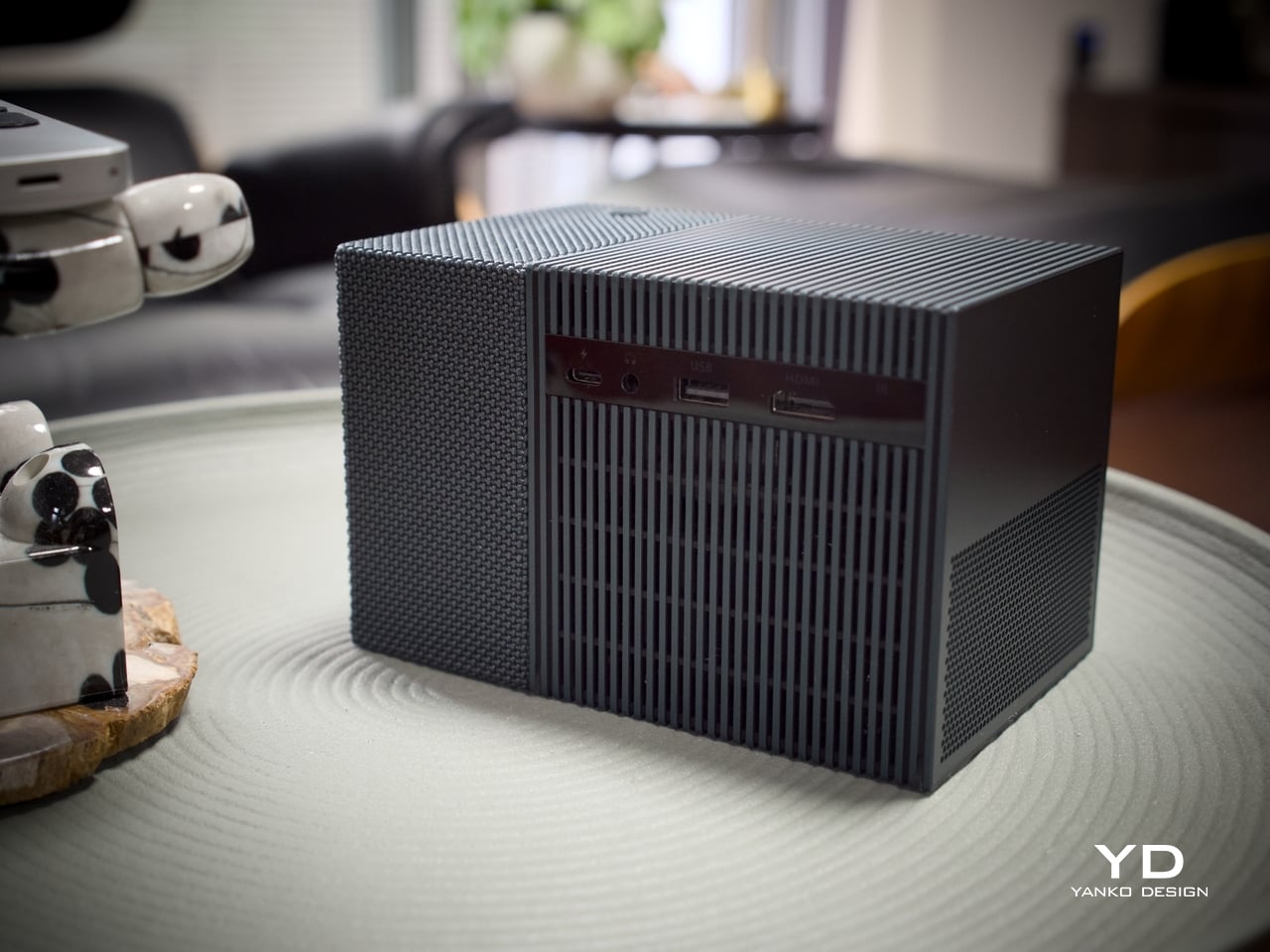
The built-in speaker is a single 5W driver, suited to personal viewing and small gatherings in quieter settings. It won’t challenge a dedicated audio setup, but Bluetooth 5.1 makes connecting an external speaker simple, and the 3.5mm output handles wired alternatives. EQ presets for movies, music, and sports give the built-in driver more adaptability across content types, which helps when the PlayCube moves between different environments.
The 1.21:1 throw ratio is well-suited to typical room dimensions, making it practical to fill a 100-inch screen without pushing the unit into a far corner. Noise is rated to be around 26dB, which means the fan is slightly audible but not enough to compete with dialogue or pull attention during quieter scenes. These specs make the PlayCube more suited for use in small rooms, but it definitely has a place outdoors, provided it’s dark enough.
Sustainability
The outdoor waterproof speaker fabric wrapped around the PlayCube is made from eco-friendly recycled materials, a detail that doesn’t read as an afterthought. TCL selected it for its acoustic properties and environmental resilience, so the sustainability credentials are attached to a component doing genuine functional work. A material choice grounded in responsible sourcing that also serves acoustic and protective purposes is a rarer alignment than it should be.
Without a replaceable lamp, the PlayCube avoids one of the more persistent limitations of traditional projectors, with no bulb to monitor and no degradation cycle that shortens its useful life prematurely. The fabric exterior also protects the optical housing during transit, making it more resilient than a typical plastic-shelled portable. A projector built for real portability tends to stay in service longer, which benefits environmental footprint and practical value equally.
Value
The PlayCube isn’t aimed at the budget end of the market, and the package supports that positioning. A 1080p DLP engine, 750 ISO lumens, officially licensed Google TV and Netflix, a 66Wh built-in battery, and award-recognized design together form a more complete proposition than most portable projectors at a comparable price. The cost reflects a device where each element was built to serve the others, not assembled from separate decisions.
The value case is strongest for buyers who’ve experienced the gap between what portable projectors promise and what they actually deliver. If the usual frustrations include needing an external streaming device, manual keystone corrections after every move, or improvised elevation workarounds to get the angle right, the PlayCube addresses all three as part of its base design, without additional accessories or workarounds required.
Buyers focused on raw lumen output or built-in audio power will find options that compete more aggressively on those individual metrics. What’s harder to find is a portable projector where the form, the smart platform, the auto-calibration, and the physical placement flexibility are all pulling toward the same experience. The PlayCube’s value sits in that coherence, and it’s a harder thing to quantify than brightness numbers or battery ratings.
Verdict
The TCL PlayCube brings together design decisions that rarely appear in the same device. The twistable cube form, fabric-wrapped exterior, Intelligent Correction suite, and self-contained Google TV platform all work toward the same goal: a portable projector that’s genuinely easy to use across different environments, not just one that lists portability on the box. That coherence is uncommon in a category that frequently trades usability for spec comparisons.
It’ll resonate most with people who’ve grown frustrated with how much effort the category usually demands. The image quality is solid, the smart features work without a separate dongle, and the rotating form makes placement far less of a puzzle. For anyone after a big-screen experience that moves with them as naturally as it performs, the PlayCube is an easy recommendation and an even easier product to live with.
The post first appeared on .
Related Posts